Adding a user-generated content (UGC) section to a rewards app
MarketPryce Rewards is an iOS app where student-athletes earn money from brand deals and referrals. I designed a new navigation tab and a full end-to-end flow for UGC (user-generated content) deals, from discovering a deal to getting paid, plus the new deals added to Home.
Problem
Athletes use MarketPryce Rewards to earn money from small tasks they can do quickly, like between classes, so the app needs to be quick and easy to tap in and out of.
The client wanted to add UGC (user-generated content) to the app. Athletes would find brand content opportunities, request a free product, and make a short video that the brand can run as an ad on its own social accounts. That raised a bigger product question: how do Rewards deals (take an action → get paid) and content deals (get product → make a video → get paid) live together and felt like related experiences?
THE GOAL: Add UGC deals so they feel like a natural part of the app, and make it obvious at a glance what athletes get and what they need to do to get paid.
My Role
I was the product designer on this project, covering research, information architecture, UX/UI, prototyping, and handoff. I mapped the new navigation in Miro, explored concepts in Claude Design, sketched on paper when the AI concepts stalled, and built the final screens and components in Figma.
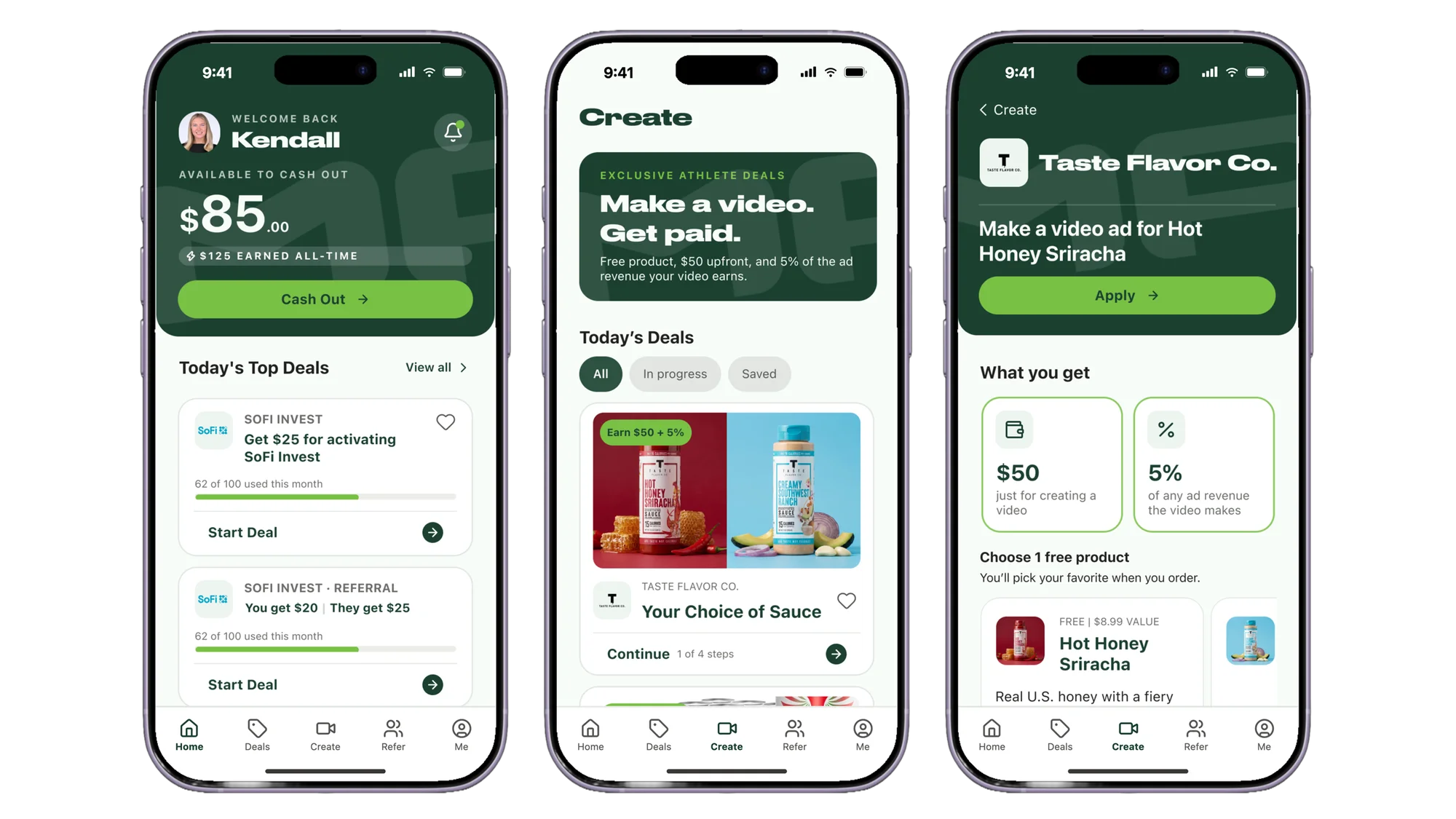
I delivered a new "Create" tab and a full end-to-end flow for UGC deals, from discovering a deal to getting paid, plus added the new deals to Home.
Research & Discovery
Who the app is for
Before designing anything, I wrote down what we already knew about the athletes using the app. They:
What the client asked for
The requirements:
There was an important detail too. Athletes don't post the video on their own socials. By definition, UGC is when a brand runs content as an ad via their own account on Instagram and TikTok. That's different from MarketPryce's usual sponsored-post campaigns.
Mapping the happy path
Based on the client's business needs, the happy path is:
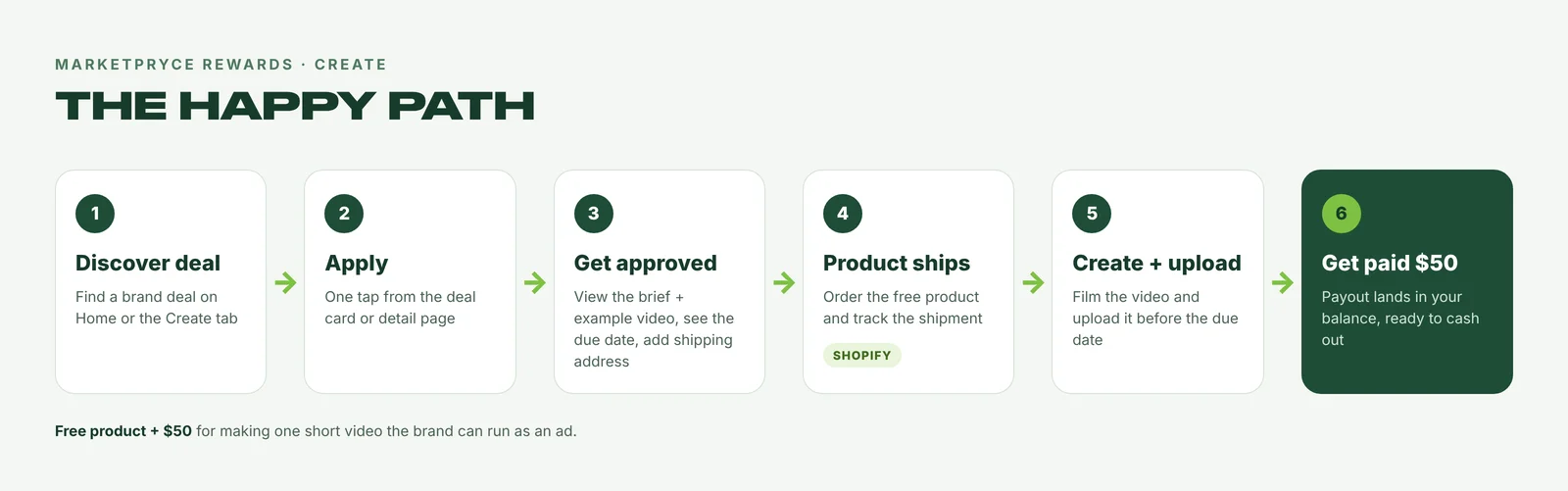
The happy path for a Create deal, from discovering it to getting paid.
Updating the navigation
Next, I had to figure out how this would fit into the current app navigation. I started by making a site map to understand how users move through the app.
The problem: the bottom nav already had five tabs (Home · Deals · Leaderboard · Refer · Me), so something had to go.
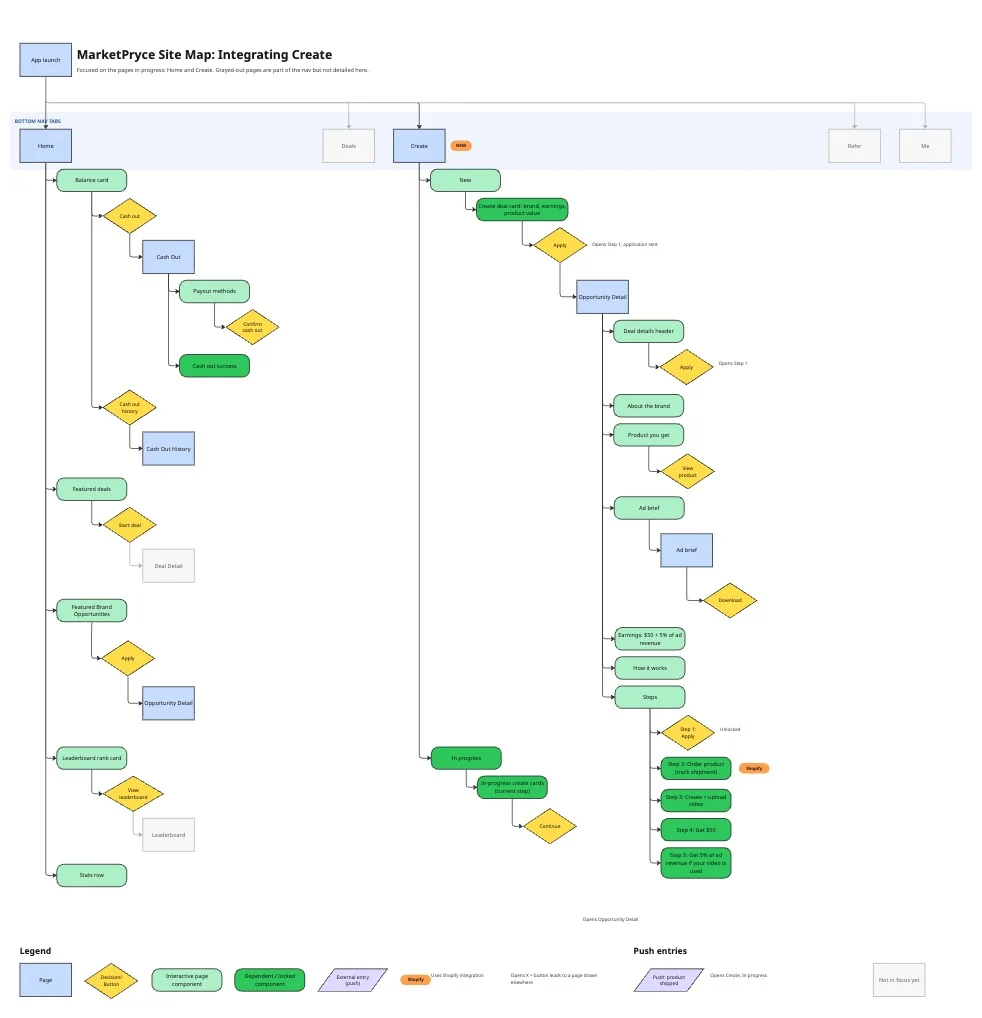
The focused site map. Home and Create are in full detail and the other tabs are grayed out. Orange tags mark the Shopify touchpoints, and the purple shapes are push notifications.
Grounding decisions in a competitive audit
I ran a competitive audit to see how other apps present UGC deals and what they put in their bottom nav: NIL Club, Opendorse, Swagbucks, Fetch, JoinBrands, and Billo. JoinBrands and Billo were the closest comparisons since they're UGC-first. NIL Club is also a competitor that has a good experience for this.
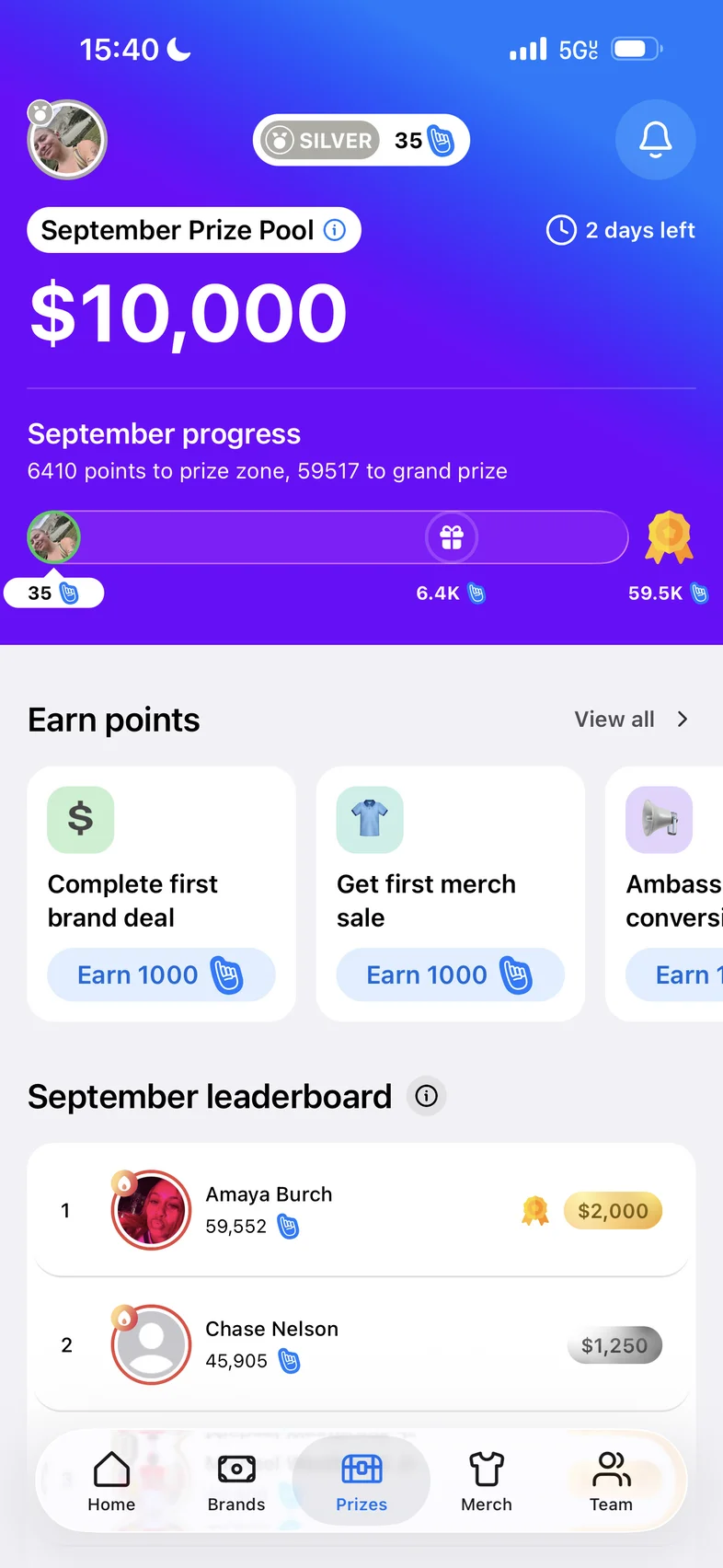
NIL Club: a Brands tab in the nav
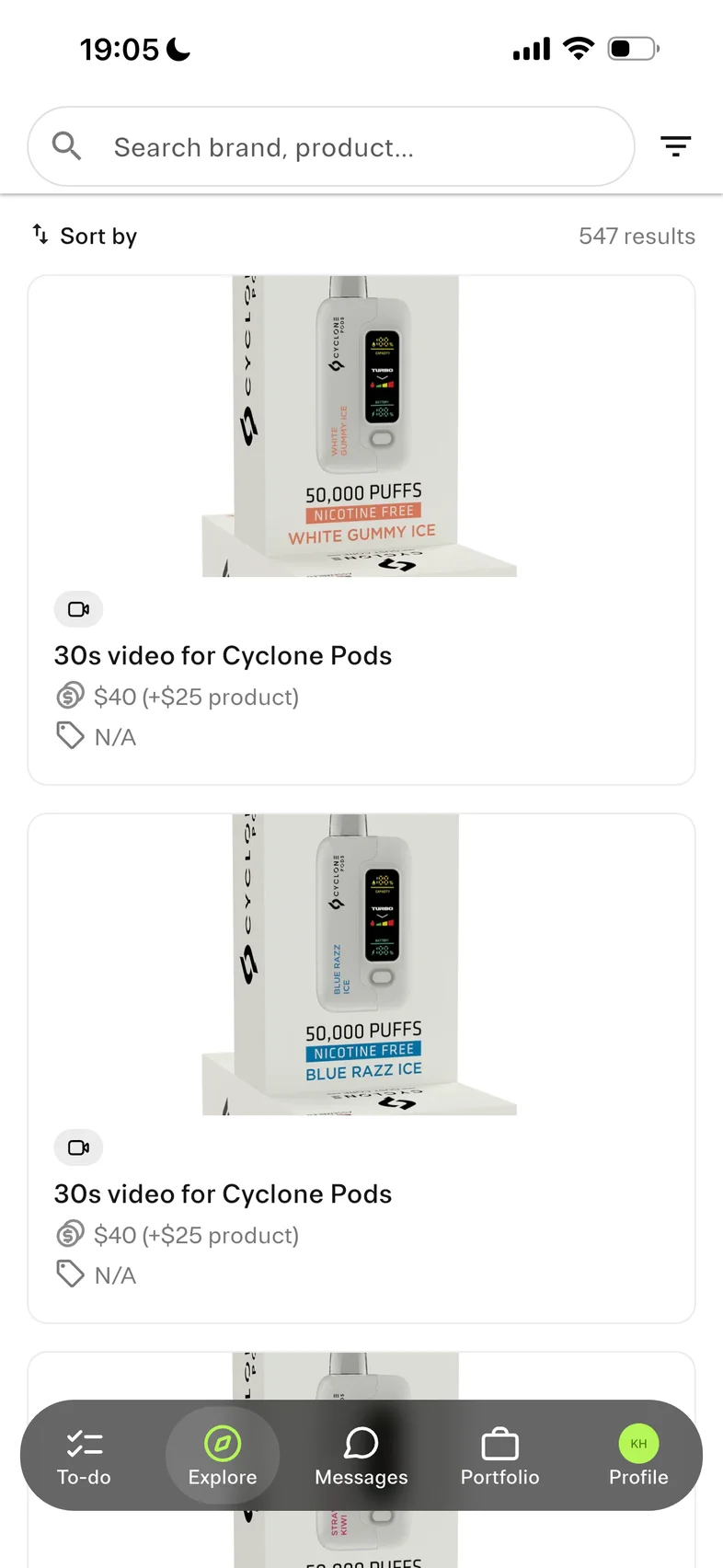
Billo: deal list
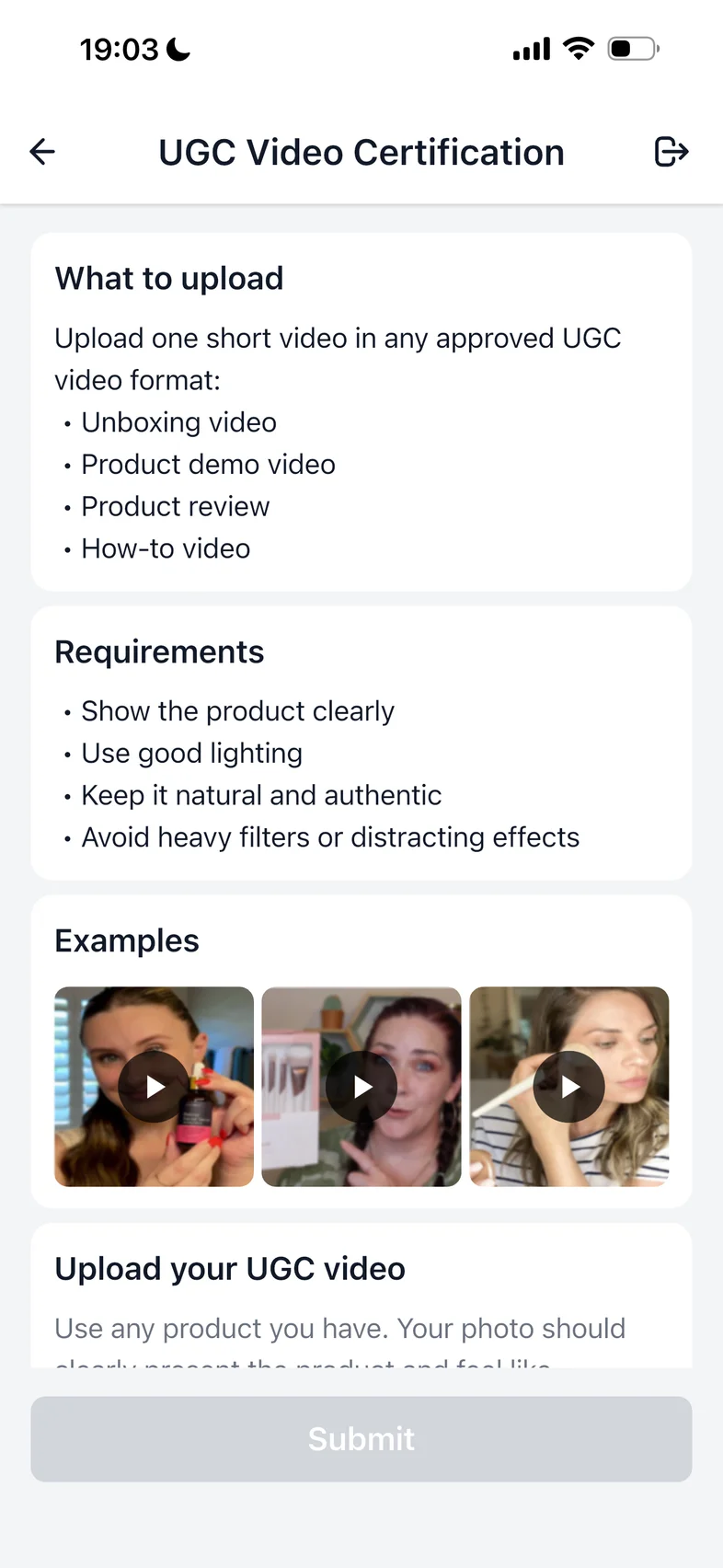
UGC brief with example videos
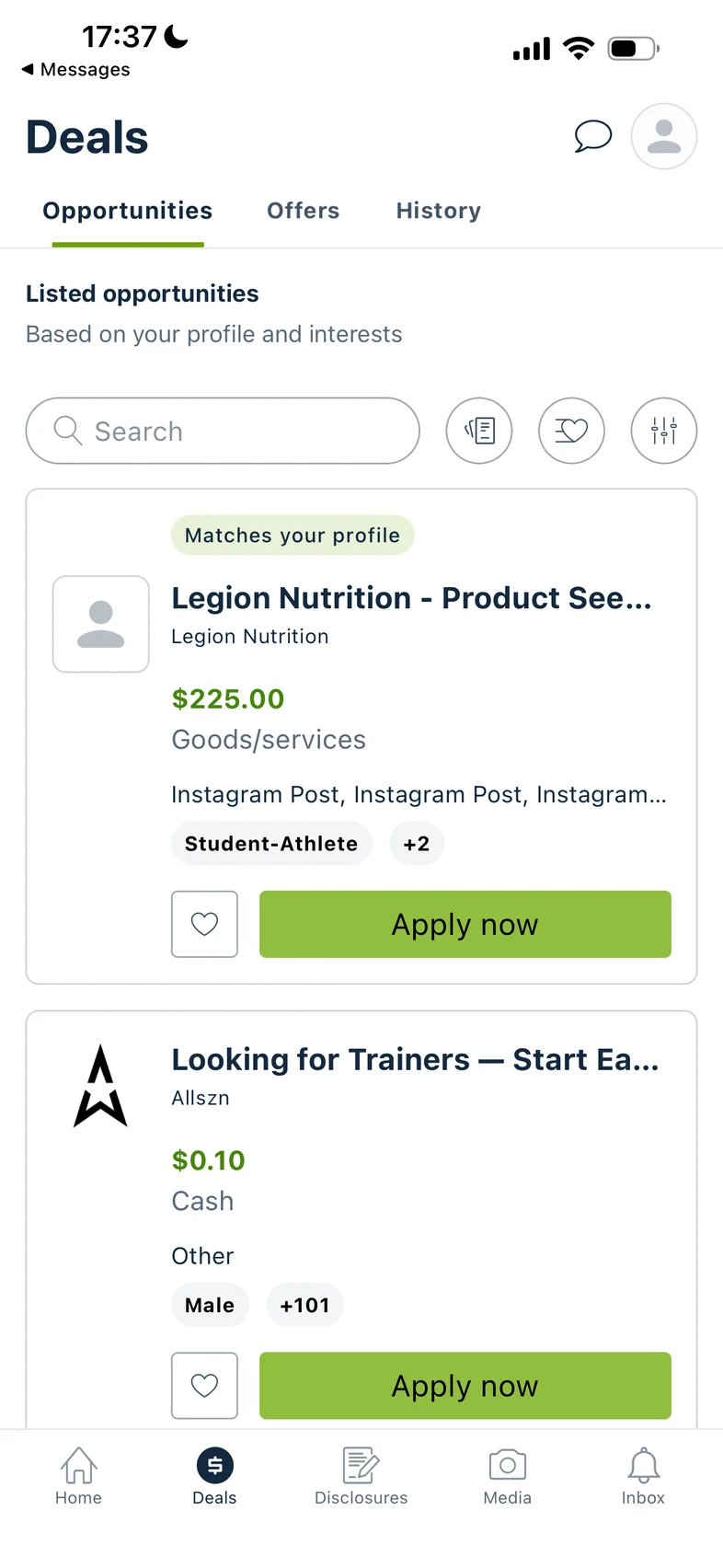
Opendorse: deal cards
How competitors list brand deals, what they put in their nav, and how they show a content brief with example videos.
Key insights

Before

After: Leaderboard is swapped out for Create.
Concepts & Sketches
Exploring concepts with Claude Design
I started by prompting Claude Design for three options for the Create screen, giving it the key insights from the business requirements, the competitive audit, and the new site map.
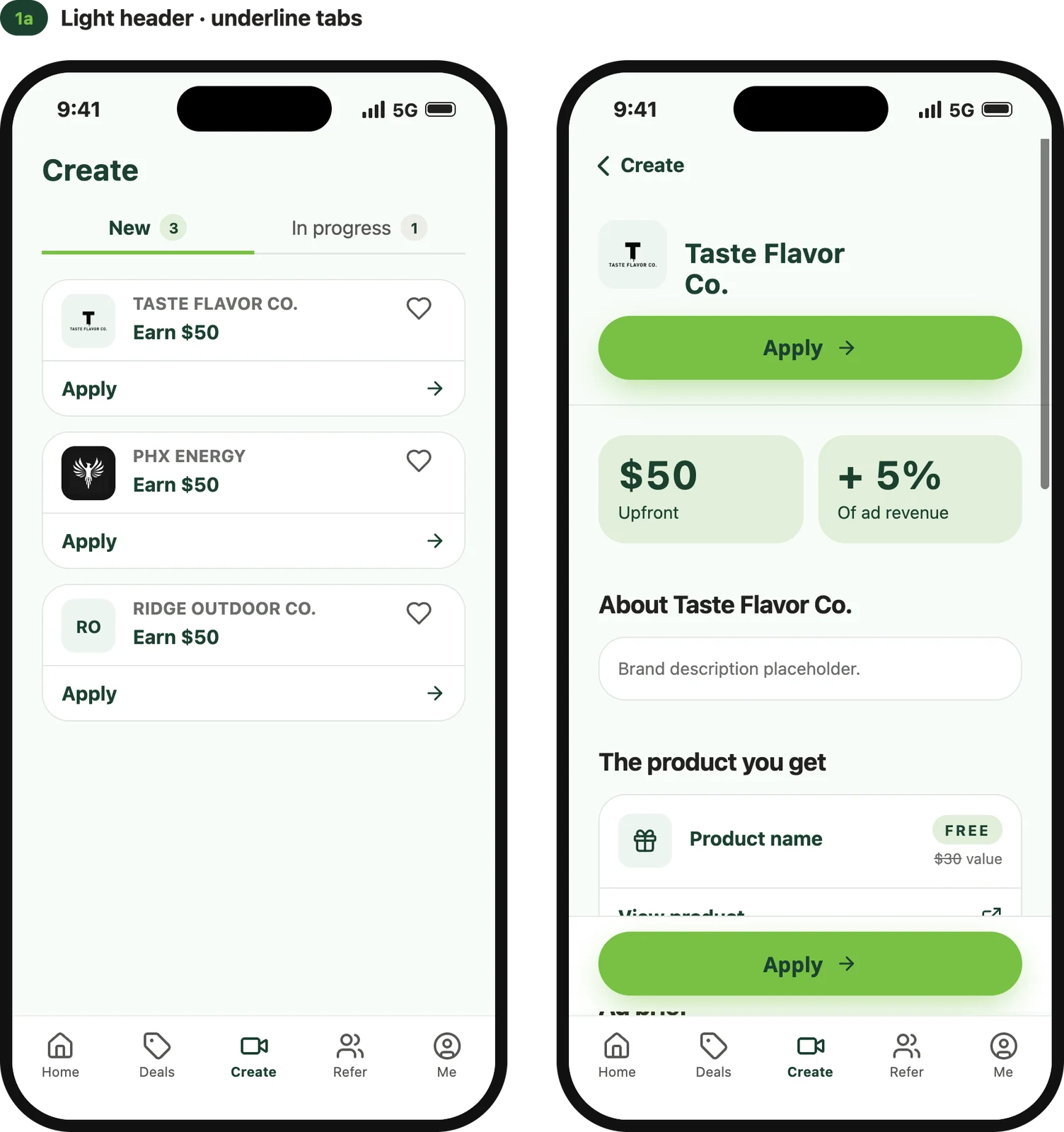
1a: light header with underline tabs
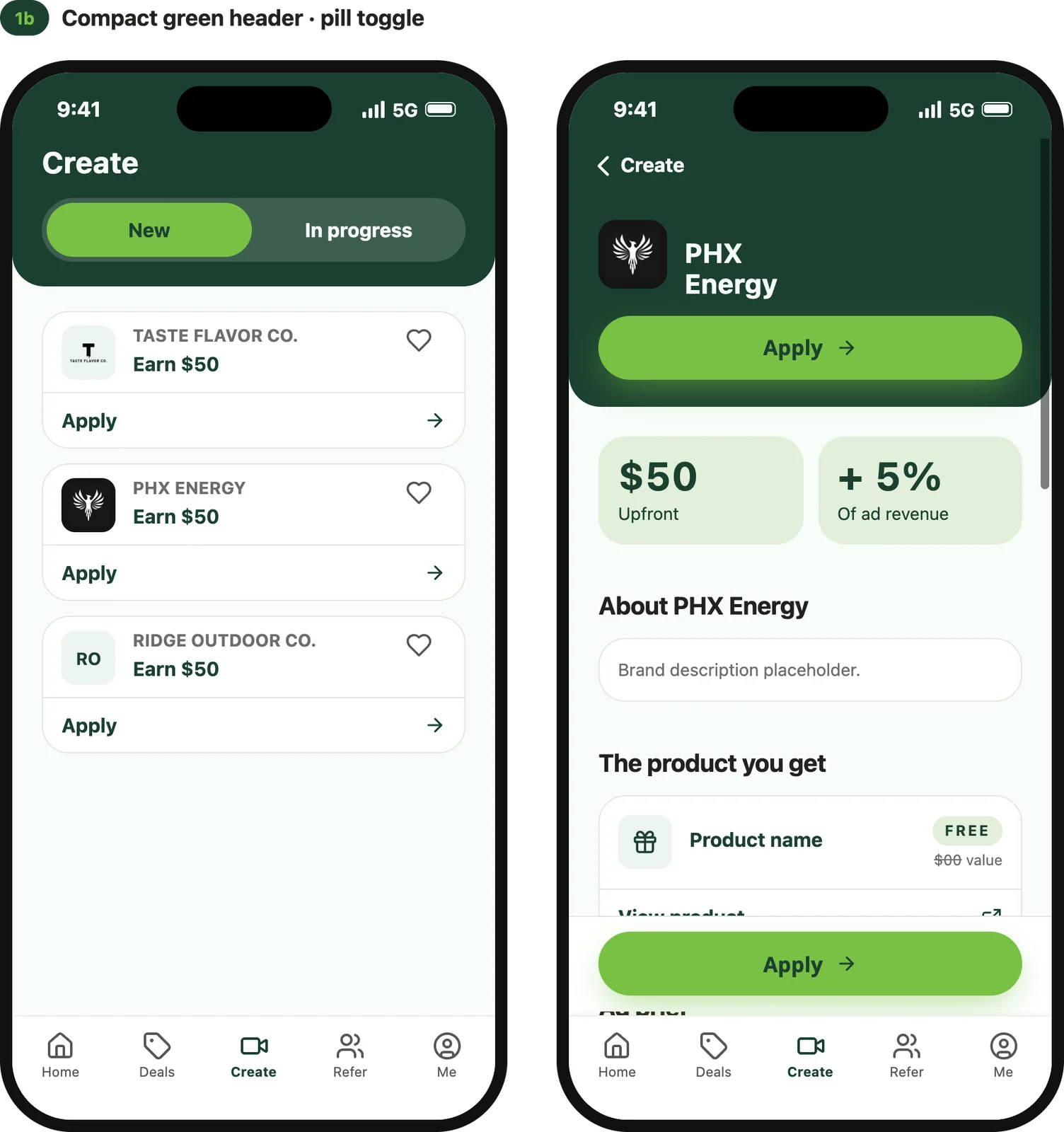
1b: compact green header with pill toggle
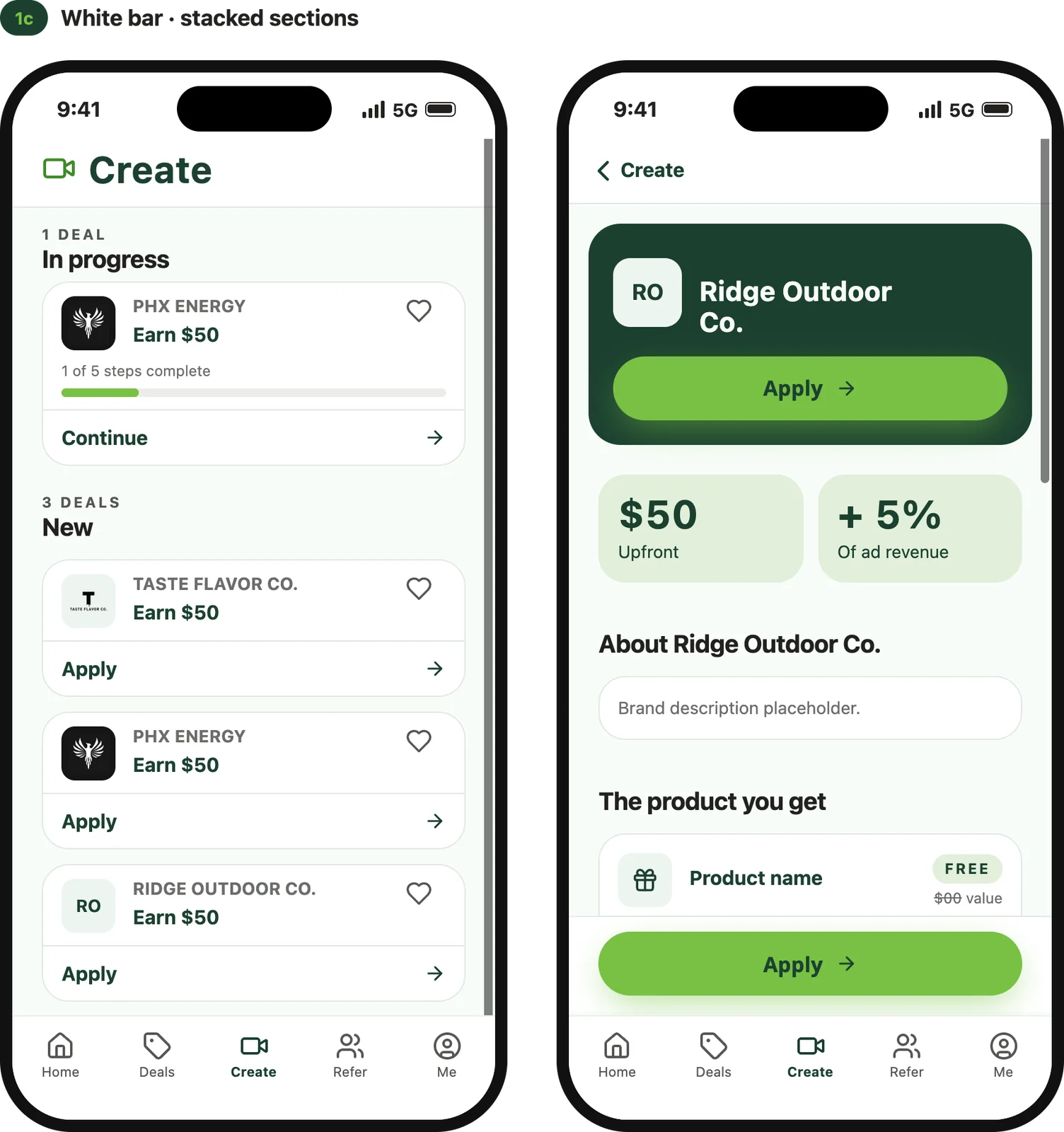
1c: white bar with stacked sections
The three first Create options from Claude Design. Each one shows the landing page and the deal detail page.
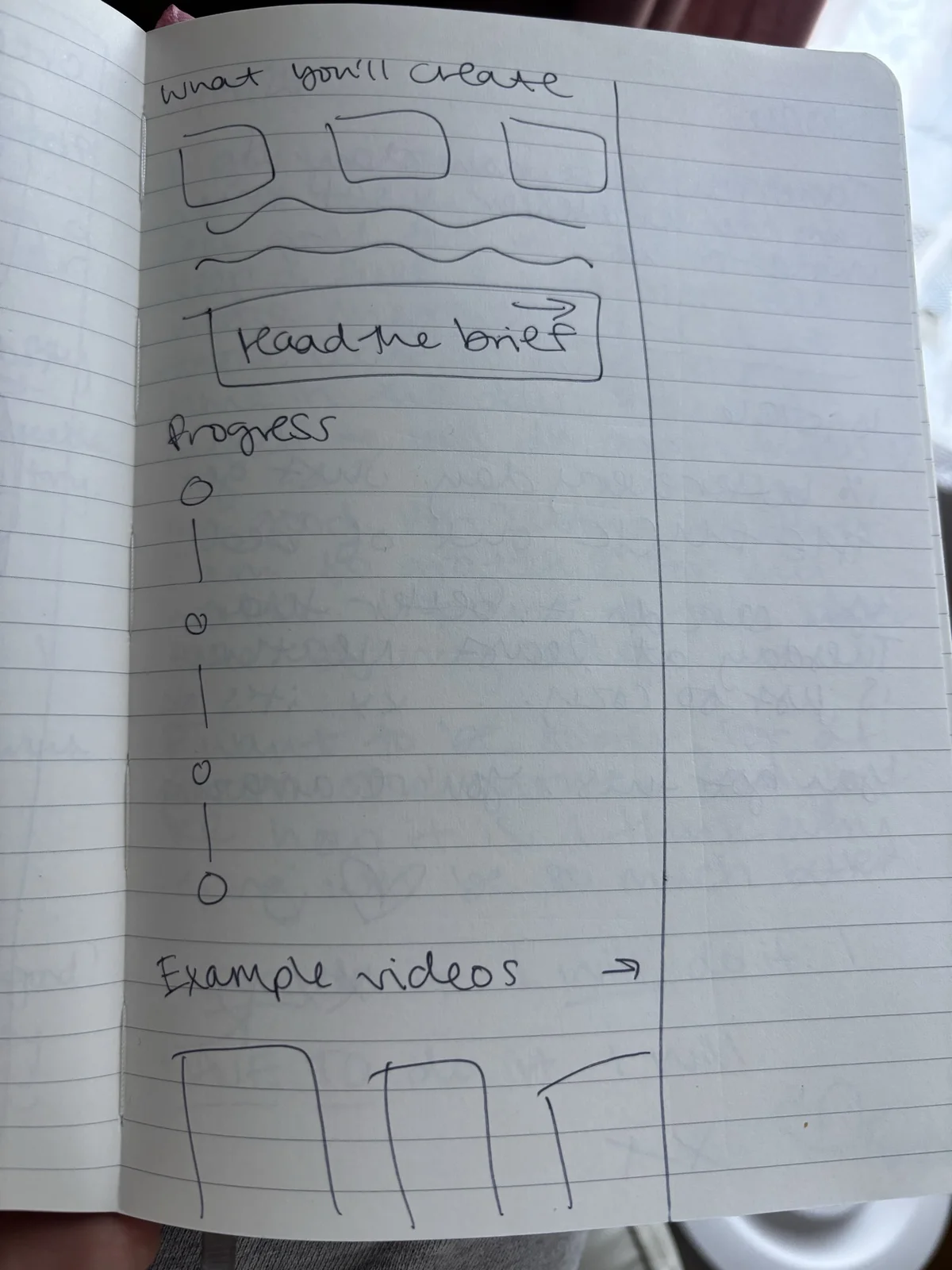
Returning to paper sketches before designing in high-fidelity
During this process, I started to feel that I was over-generating more options, and I became less sure which direction to take. I was stuck in an AI feedback loop, so I stepped away from the screen and went back to paper sketches.
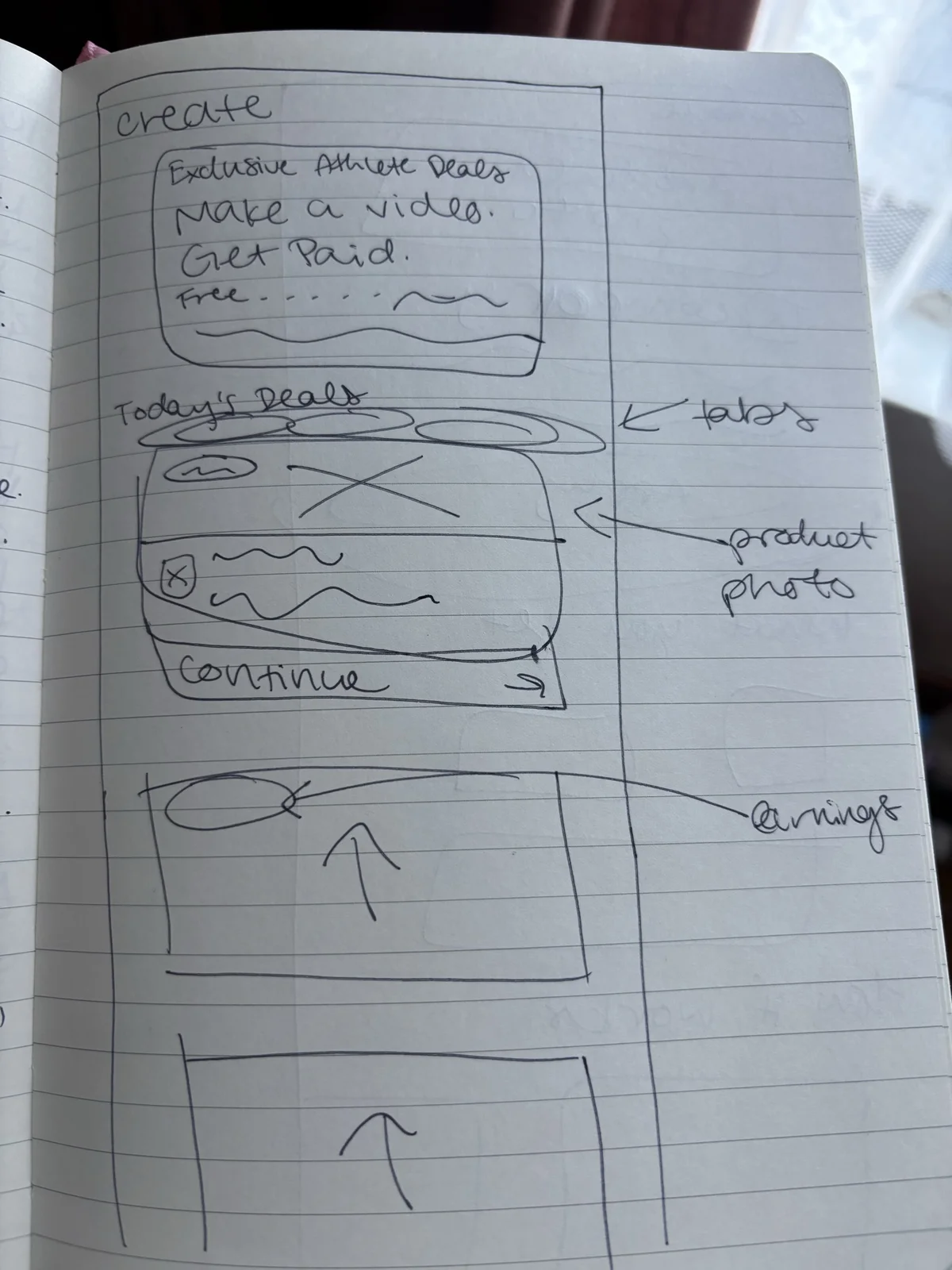
Create landing page
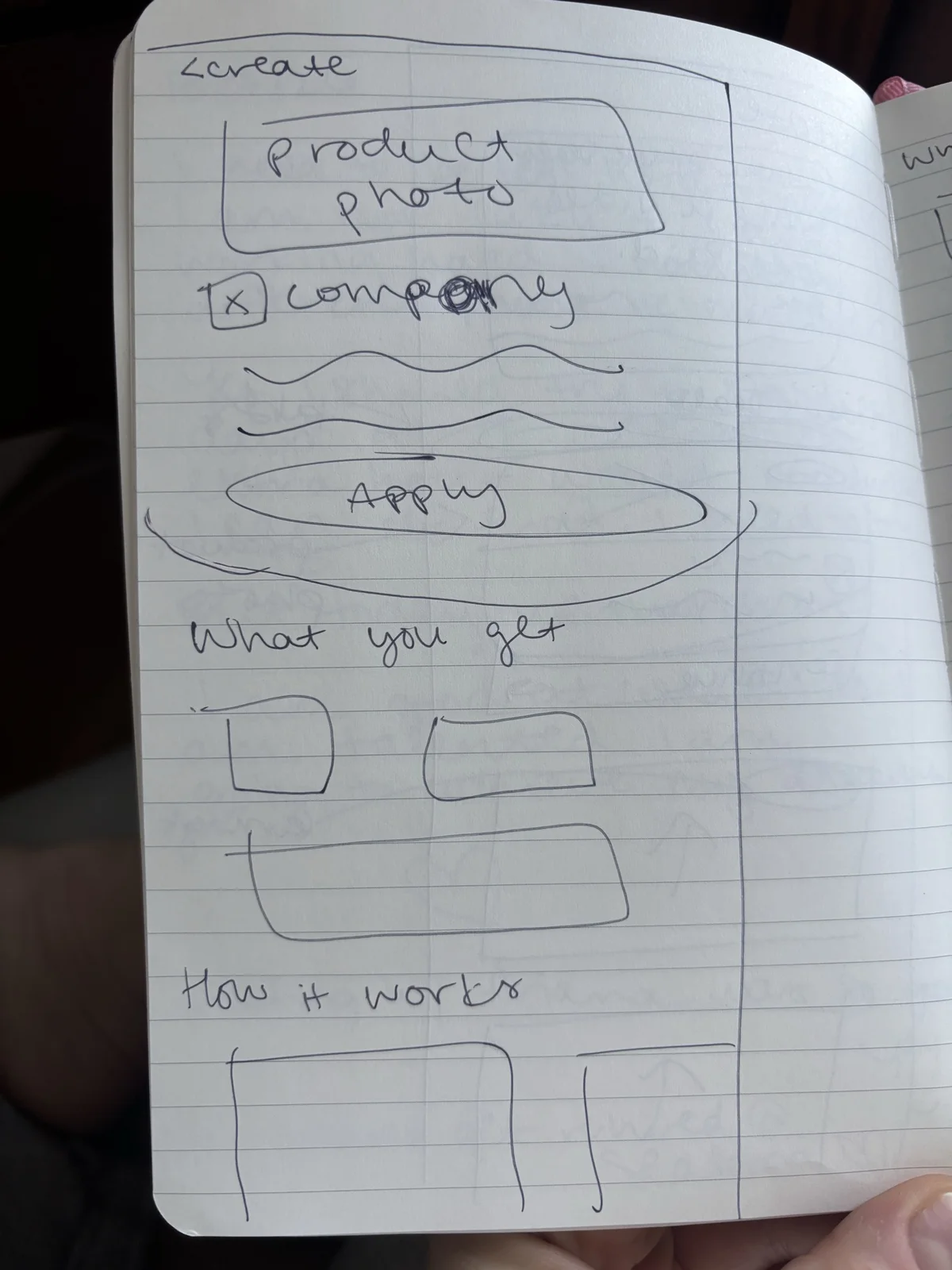
Deal detail, top half
Deal detail, bottom half
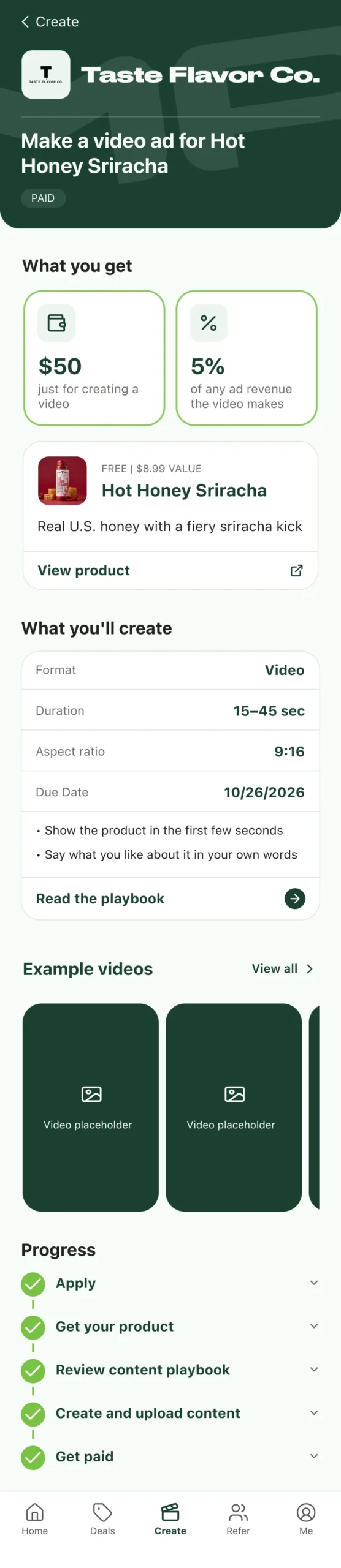
The hardest problem was making it clear what the athlete actually has to do and what that involves. The steps alone didn't do it. The page needed to say, at a glance: if you apply, you get this free product and money, and all you have to do is make a short ad. The progress tracker is much more detailed, so it couldn't carry that message on its own.
I reframed the page around that idea so people don't have to guess or infer it. In the first options, the earnings sat in a row of stats. The new version leads with What you get ($50, 5%, and the free product) and What you'll create (format, length, aspect ratio, due date, and a short brief).
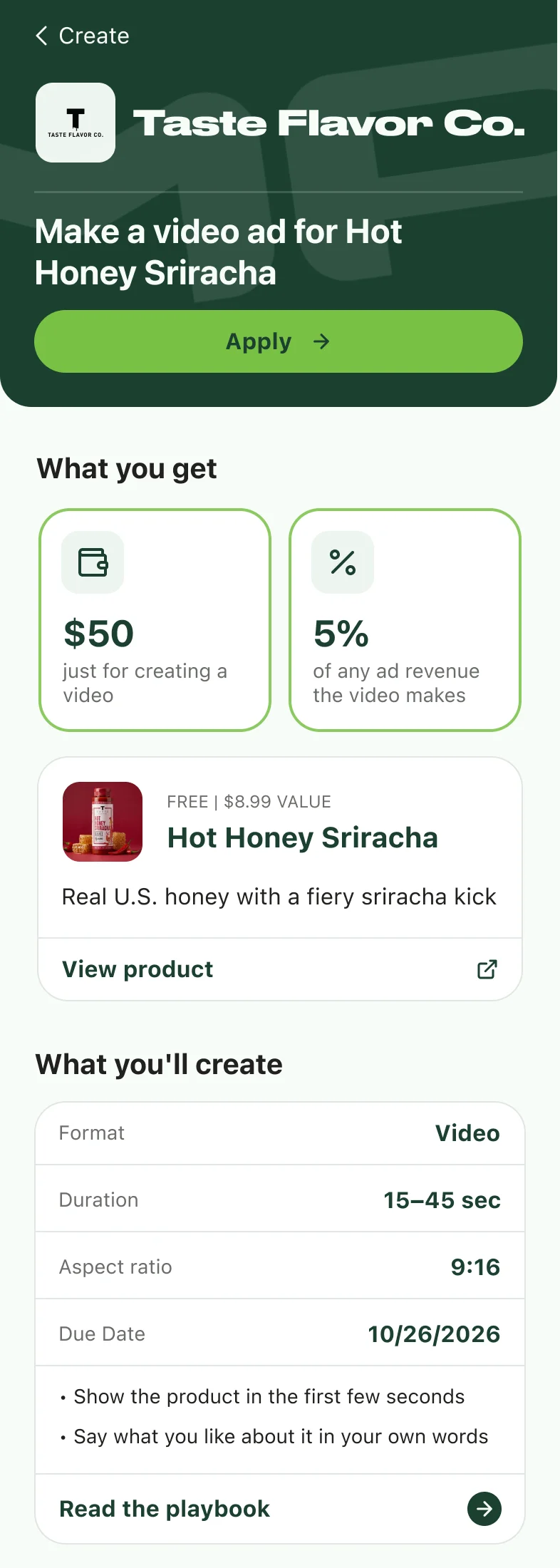
Top of the page
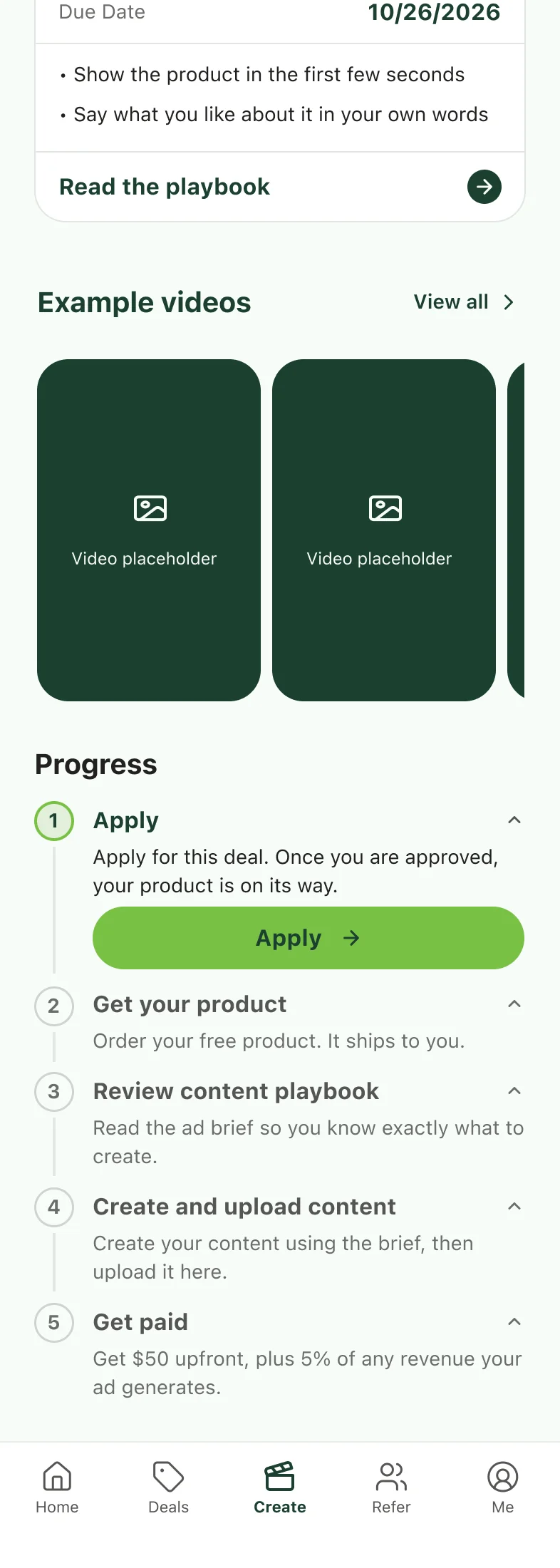
Scrolled halfway
After the reframe, at the top of the page and scrolled halfway down. "What you get" and "What you'll create" now come before the steps.
Design System
Building the design system in Figma
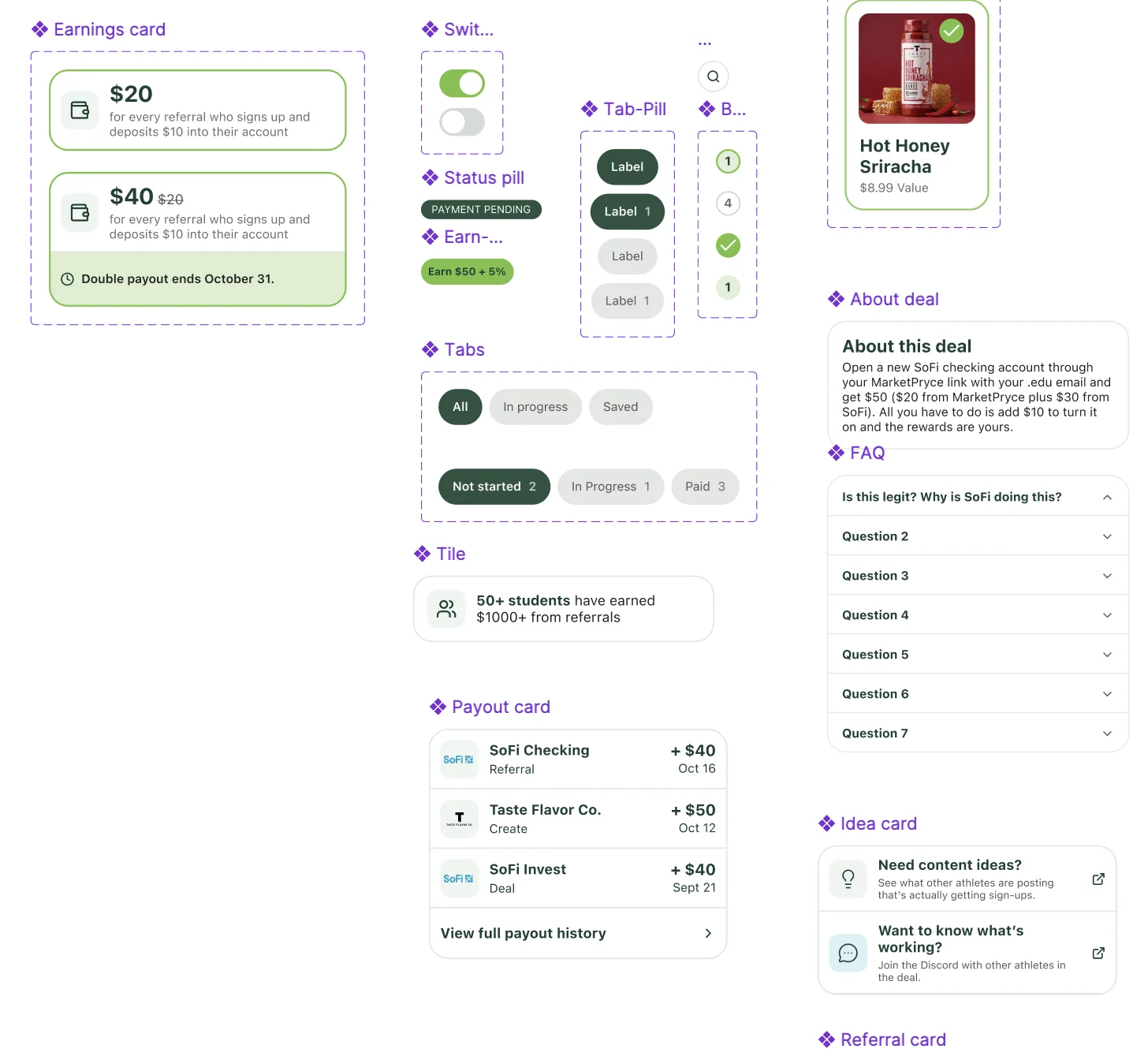
Once I had a direction I liked, I exported everything to Figma and added color styles and variables to the screens. I used Figma AI to generate the variable collection, which covers primitives (brand, neutral), semantic tokens (background, surface, text, border, accent, progress, rank), spacing, radius, size, border width, and type. I built the new components myself, including the earnings card, status pill, "Earn $50 + 5%" pill, tab pills, step badges, the product select card, and the payout card.
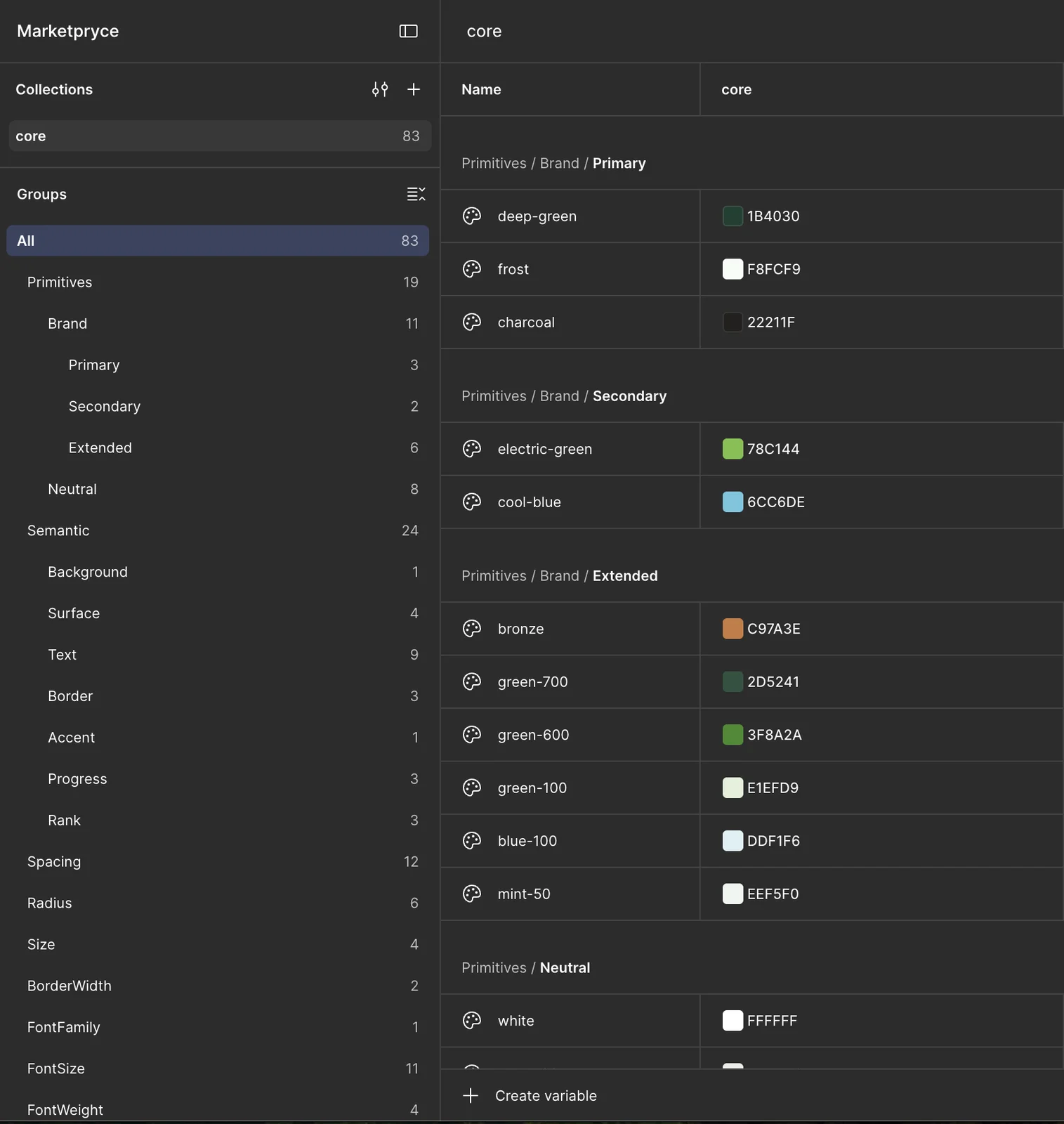
Variables
Components
Left: the "core" variable collection with 83 variables. Right: the new components built for Create.
Designing the Flow
Turning the deal detail page into a tracker
With the system in place, I worked out what each step involves, including the pending states and the Shopify ordering screens. The deal detail page is also where you track your progress. As you move through the deal, three things update:

Apply

Order product

Track package

Upload content
Paid
Five of the 11 deal states, from applying to getting paid. The main button, status pill, and progress tracker update at each step.
Ordering and tracking the product (Shopify)
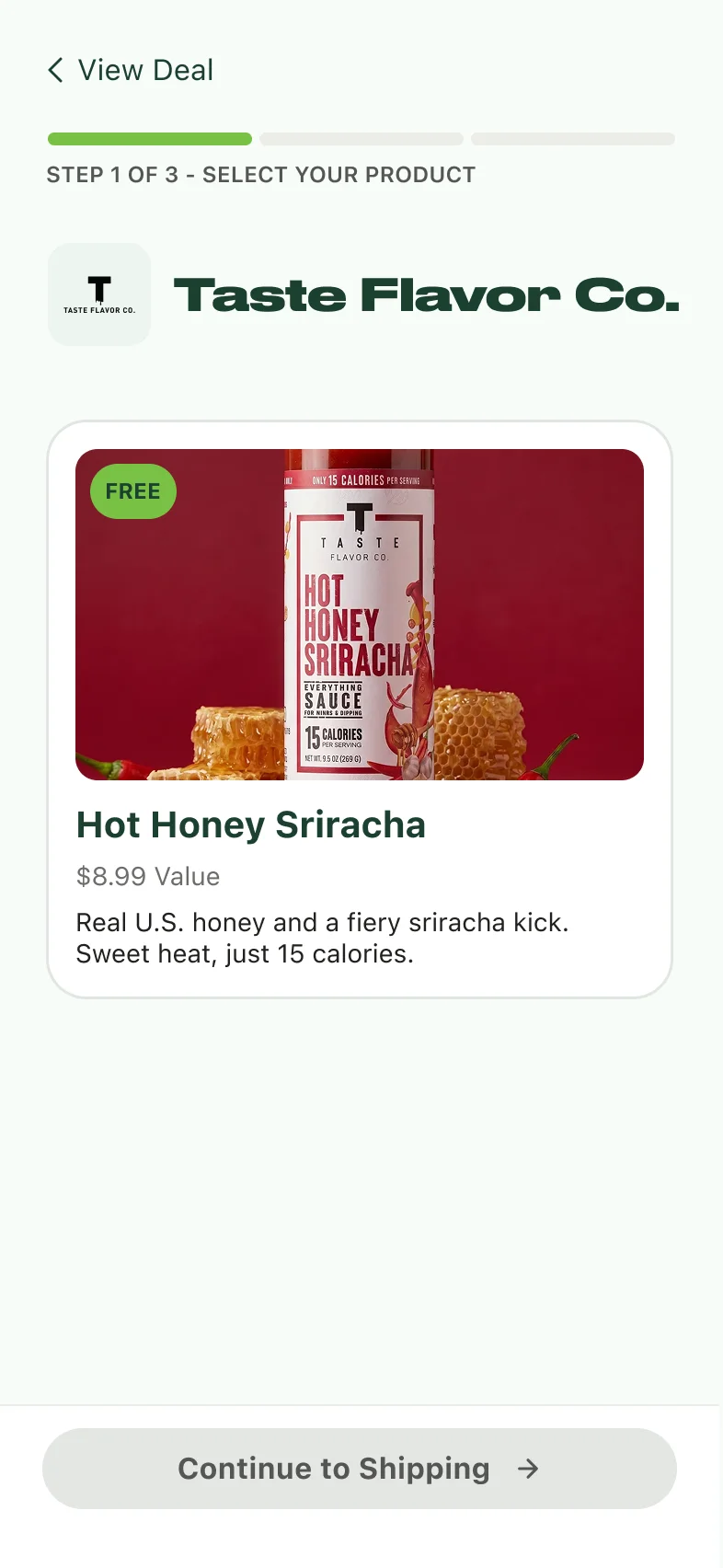
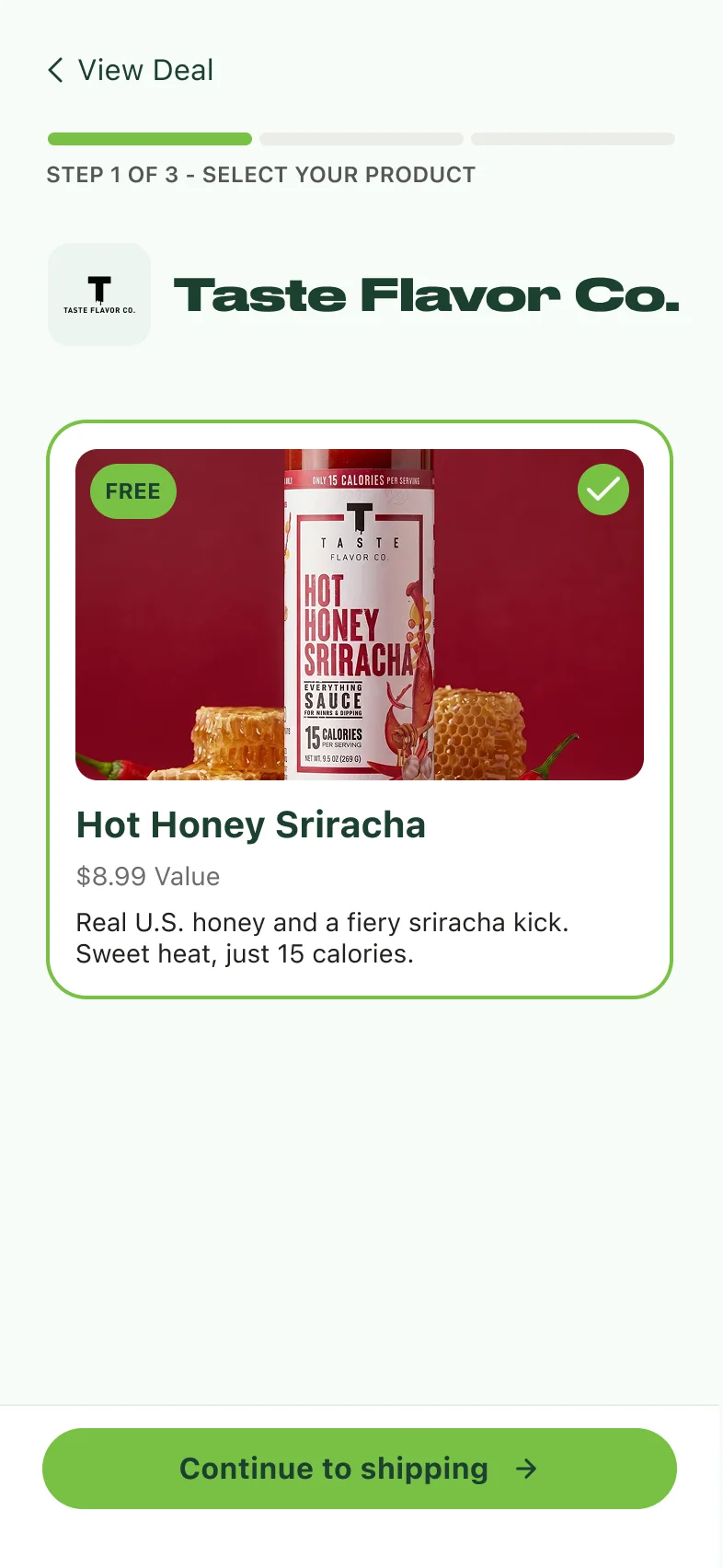
Ordering the product is a short three-step flow: select your product, enter your shipping info, and place the order. It ends on a confirmation screen and a package tracker. While athletes wait for the package, both screens nudge them to review the content playbook, so they can start planning the video before it arrives.
Select product
Product selected
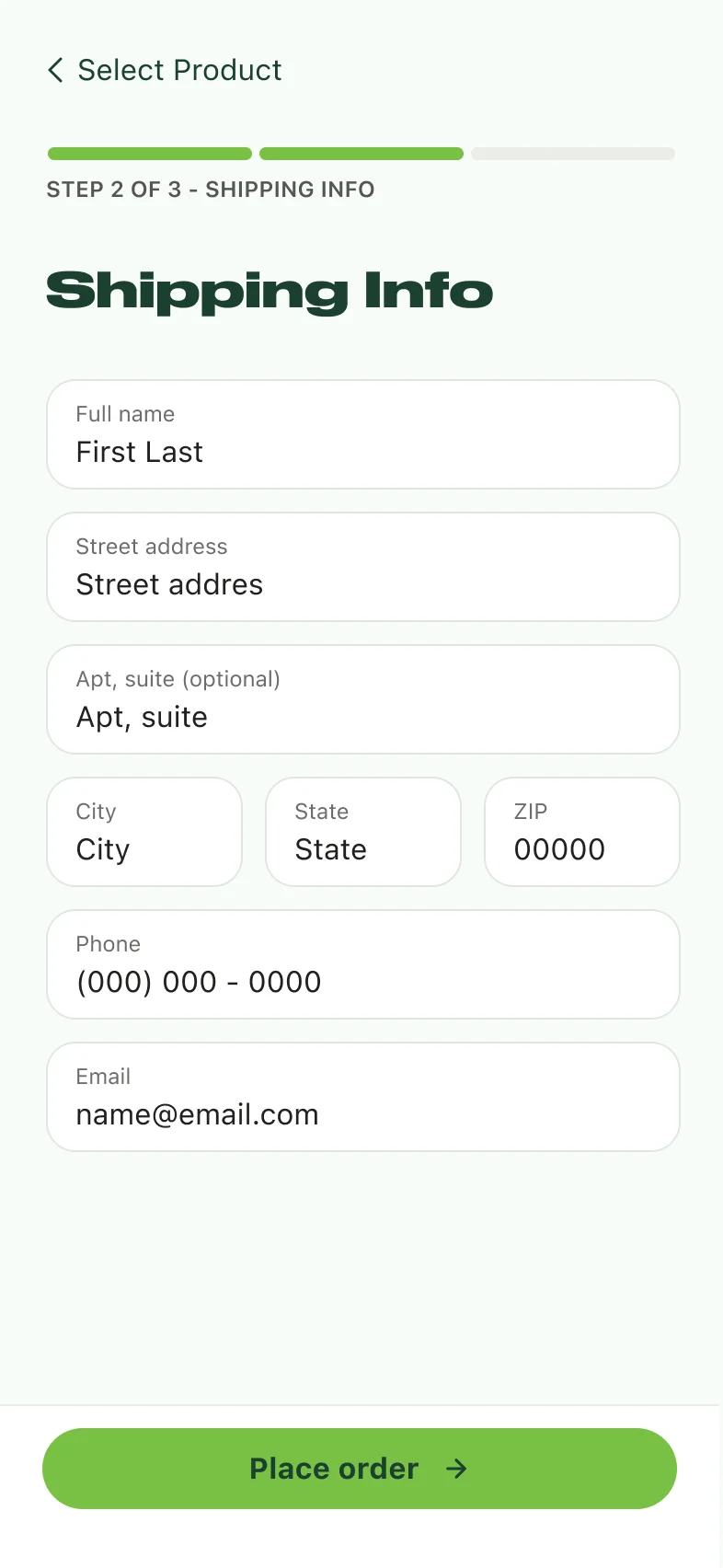
Shipping info
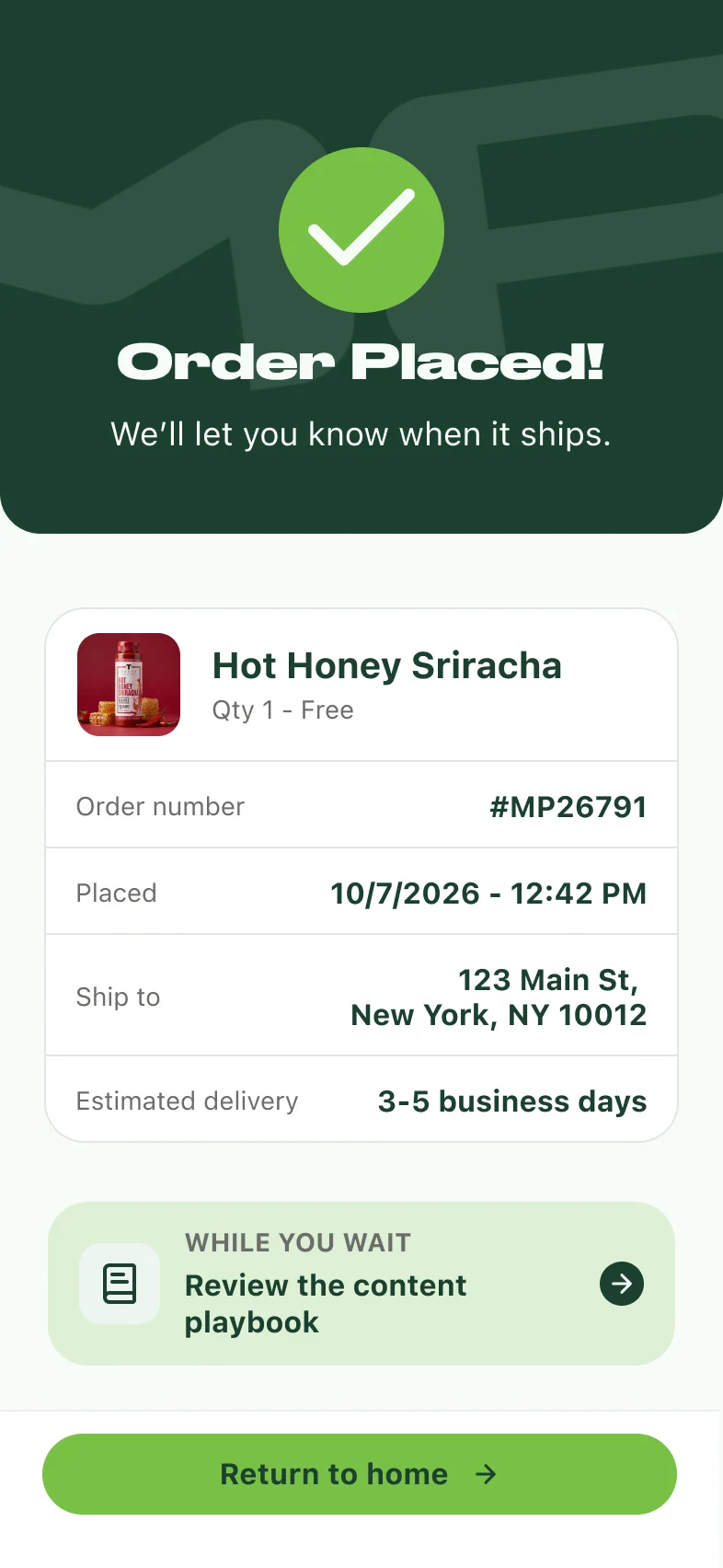
Order placed
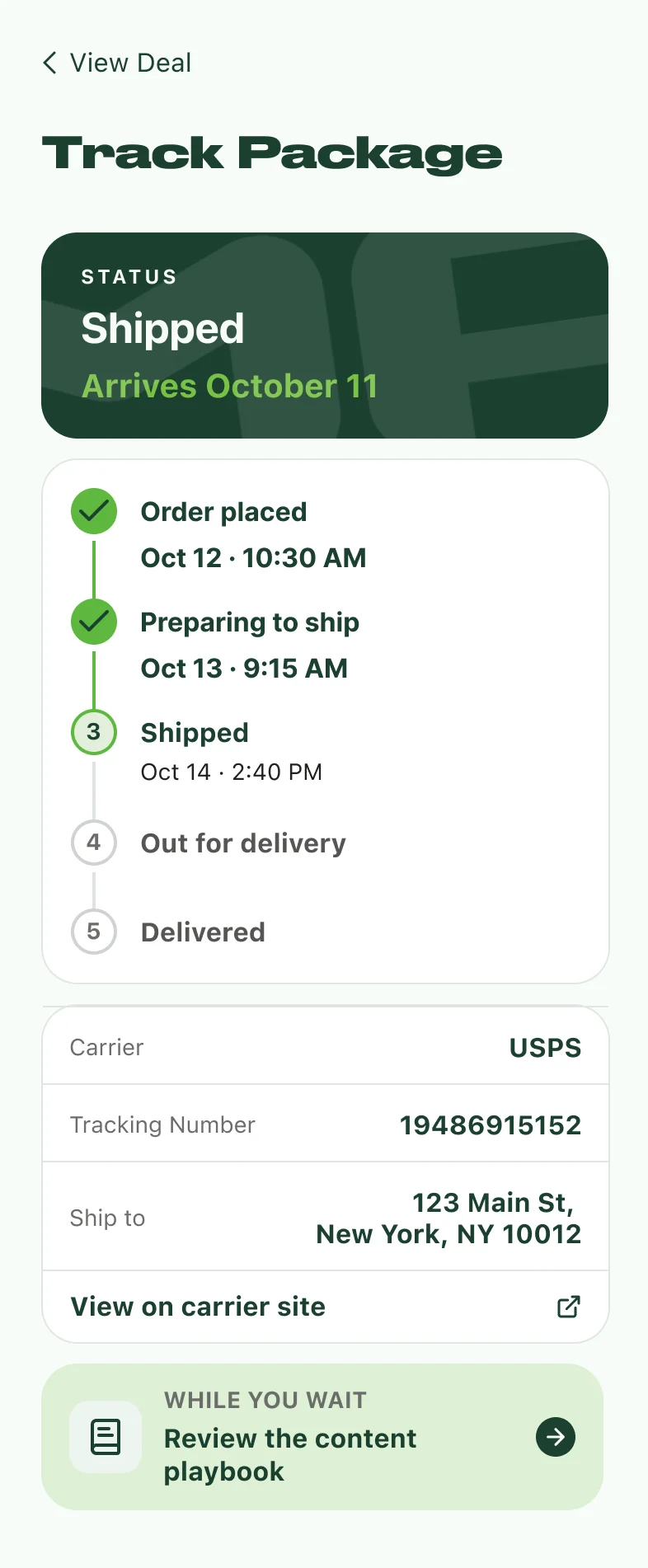
Track package
The Shopify ordering flow and the package tracker.
Client Feedback & Final Designs
Supporting multiple products
The client's main feedback was that athletes can sometimes choose from multiple products, which I had misunderstood. I went back to make sure the designs showed that clearly and made a variant for it. The deal card shows the product options together, the detail page has a "Choose 1 free product" section, and the order flow starts with a product picker.

Multiple-product deal detail
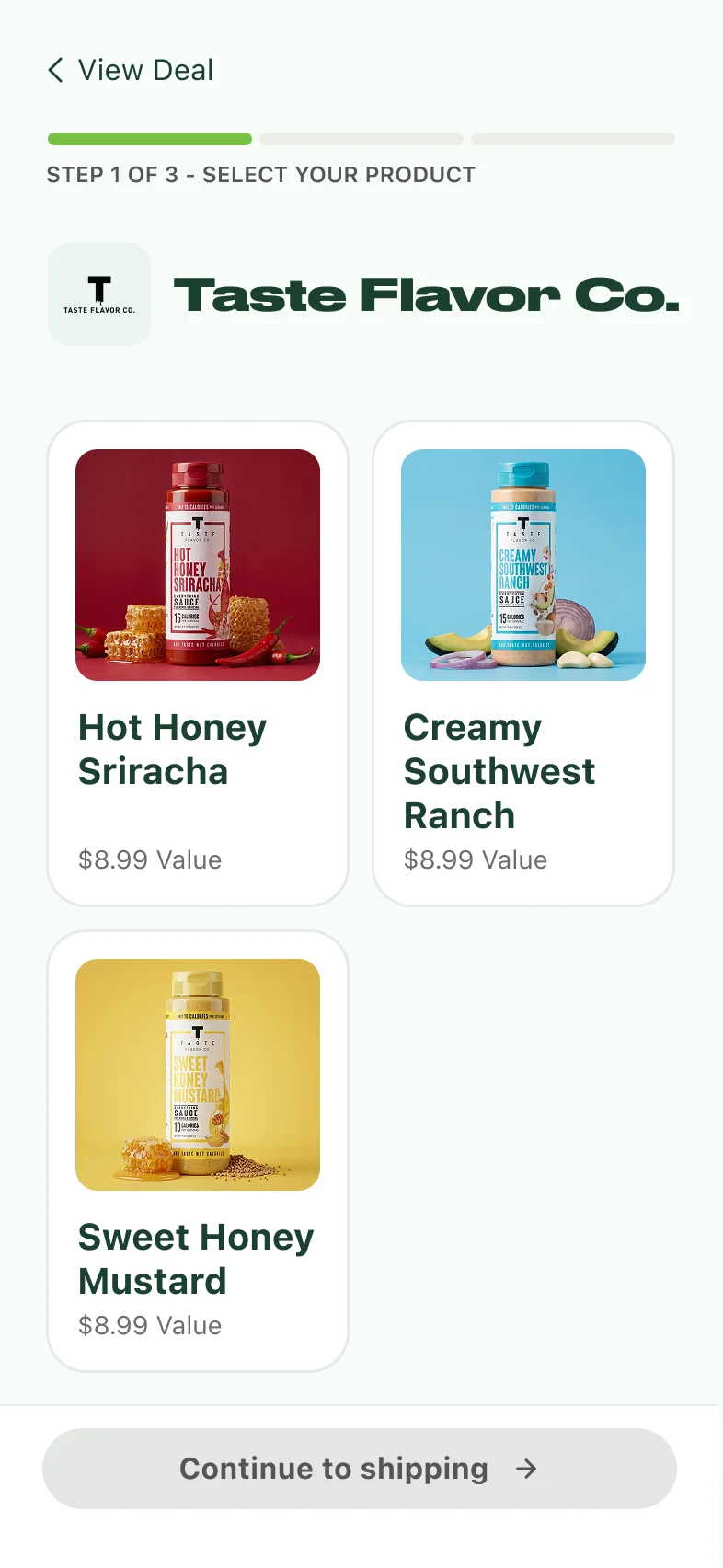
Product picker
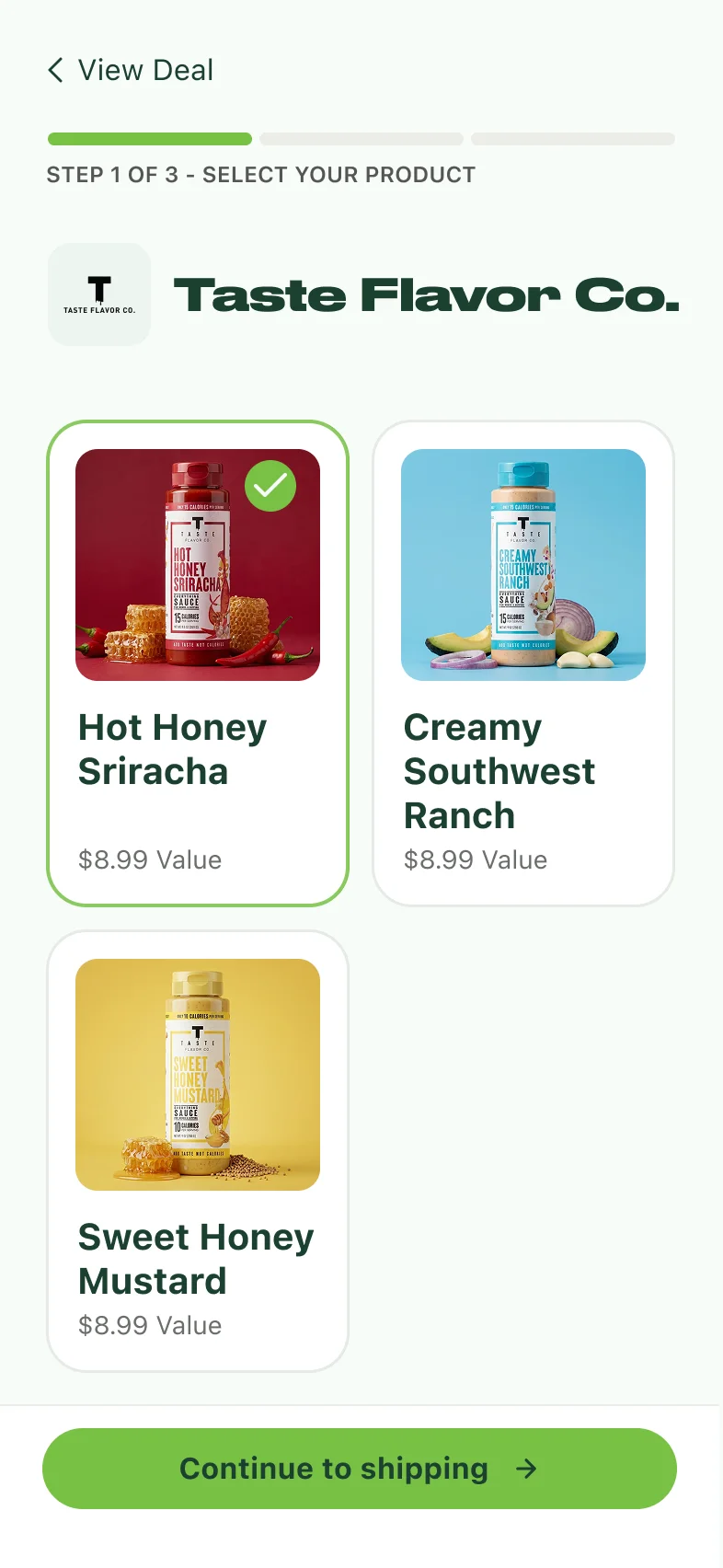
One product selected
The multiple-product variant: the deal detail page and the product picker that comes before shipping.
Final designs
The client liked the updated designs. I built out the final screens and added create deals to the home page as a new "Create & Earn" section. It sits below Today's Top Deals and uses the same card style, so it feels like part of the same app. Then I handed the designs off to the developer.
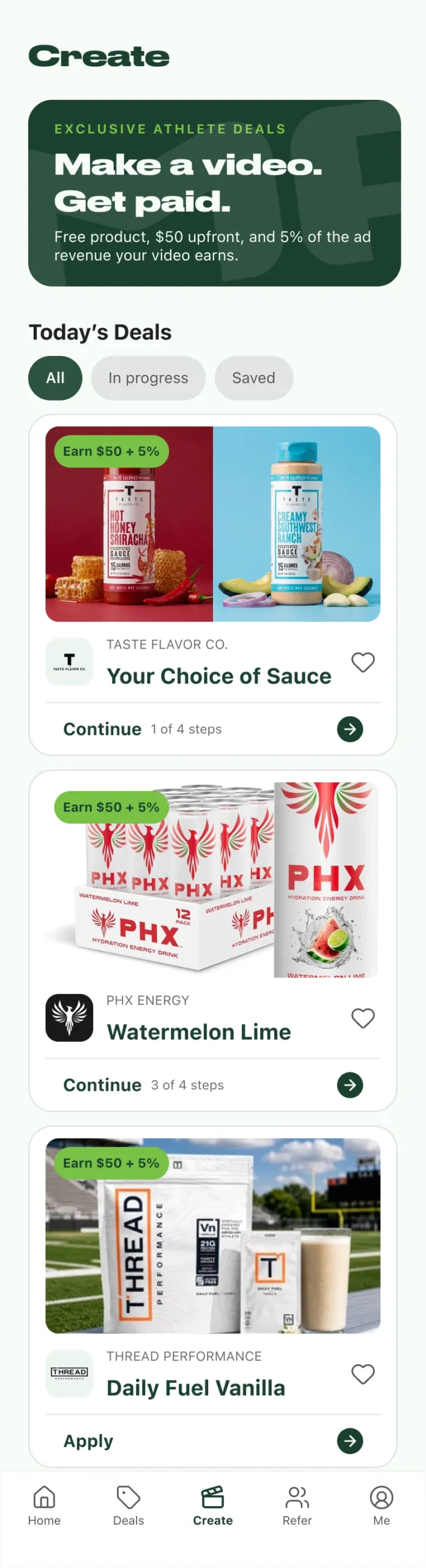
Create landing page
Deal detail page

Home with Create & Earn
The final Create landing page (All / In progress / Saved, with deal cards that show earnings, progress, and a single next action), the final deal detail page, and the home page with the new "Create & Earn" section below Today's Top Deals.
Next Steps
Final Thoughts
The hardest part of this project wasn't any single screen. It was making a brand-new way to earn feel like it had always belonged in the app. Small decisions did most of that work: naming the tab "Create" so it couldn't be confused with Deals, matching the Home deal cards, and leading the deal page with what athletes get and what they'll make, before any steps.
It also taught me to sketch an idea before going straight into AI design. Claude Design was great for exploring options quickly, but generating more and more of them turned into an endless feedback loop. Going back to paper is what got me unstuck, and I'll start there next time.
Finally, I'd get more detailed business requirements from the client up front. I misunderstood the multiple-product requirement until later in the process, and a clearer kickoff, plus sharing early designs and more options sooner, would have caught it. That saves time and stress for me and for the client.