Redesigning a rewards app's home screen so student-athletes can complete tasks quickly
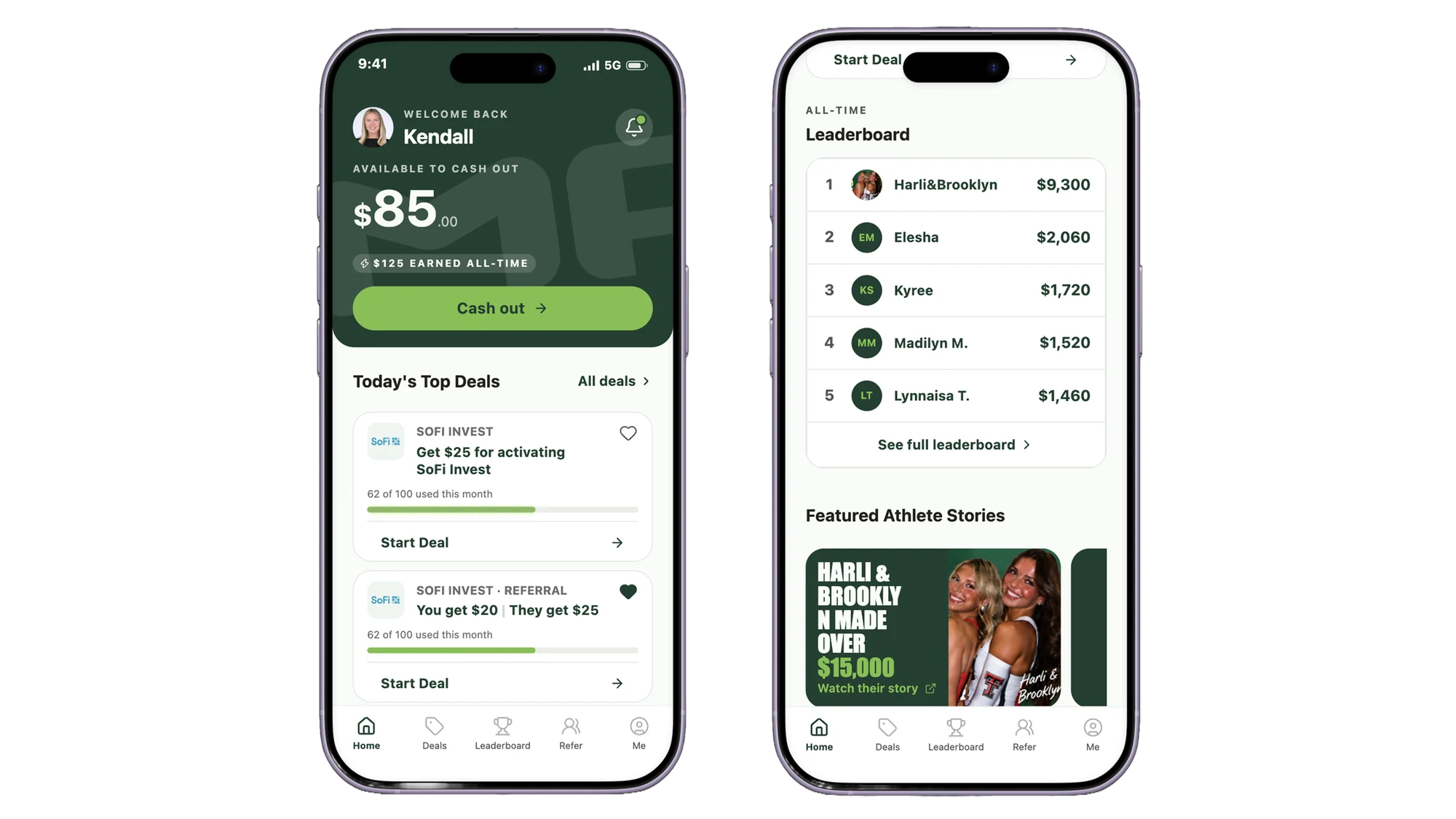
MarketPryce Rewards is an app where student-athletes earn money by completing quick deals and referrals. I redesigned its home screen so athletes can see their balance, find a deal, and get back to their day in just a few taps.
Problem
Athletes use MarketPryce to earn money from small tasks they can knock out between classes, practice, and games, so the app needs to be quick to tap in and out of. But when I had a few athlete friends try it, the most consistent feedback was that they didn't know exactly what the app was for.
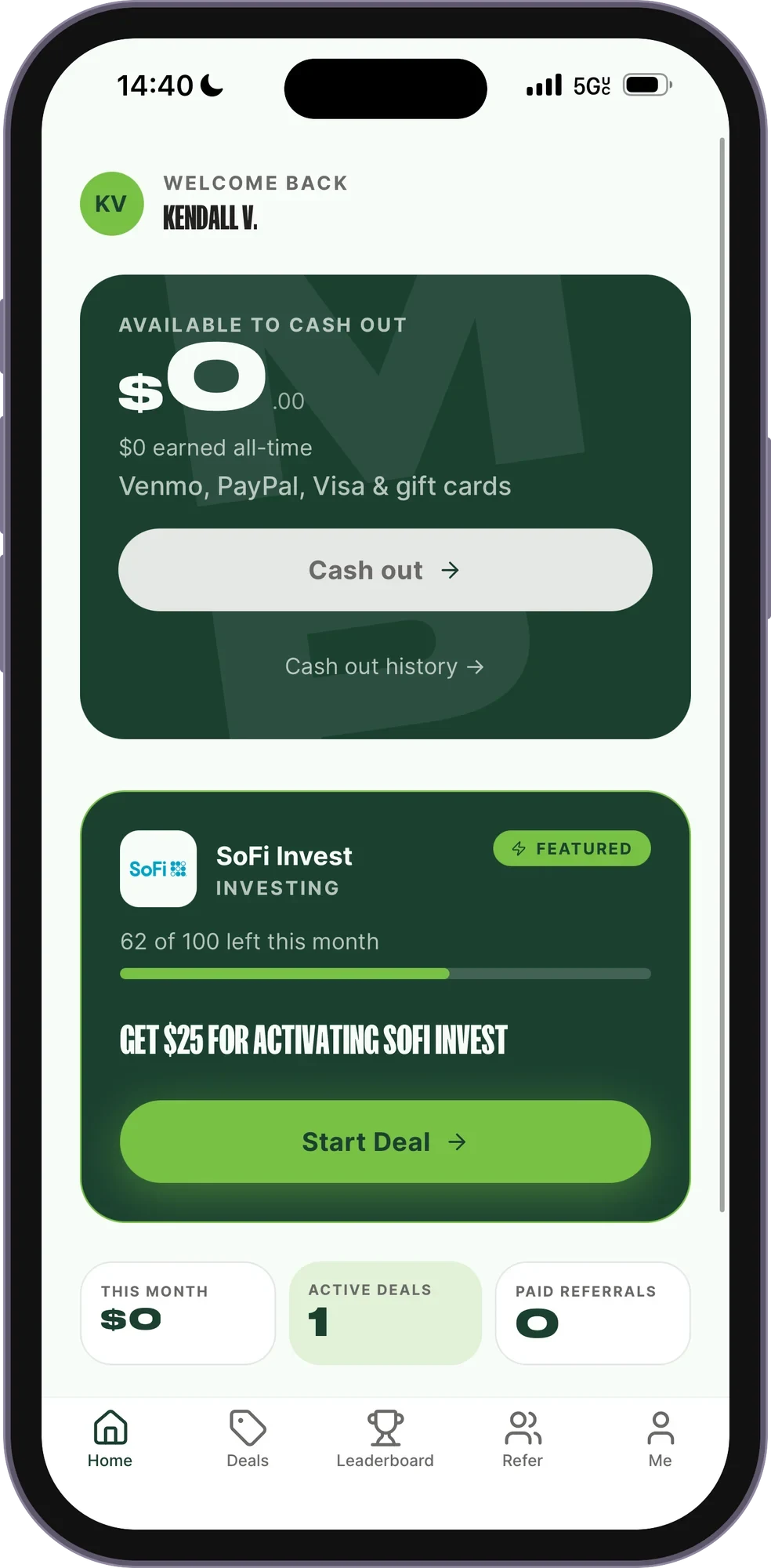
The home screen is where that should be obvious, and it wasn't. Key information was missing or competing for attention, some content repeated, and there were accessibility concerns.
THE GOAL: Help athletes quickly see what they can do in the app, whether they're checking between classes or on the way to practice.
My Role
I was the sole designer on this freelance project. I ran informal research, audited the current home screen and competing rewards apps, and sketched a new layout. I then used Claude Design to explore high-fidelity concepts within MarketPryce's design system, refined the final design in Figma, and built a clickable prototype in Figma Make.
Research & Audit
Who the app is for
Before touching the design, I wrote down what we already knew about the people using the app. Student-athletes:
Auditing the current home screen
Guerrilla research pointed to the home screen as the first thing to fix, so I audited it and noted what was getting in the way:
The original home screen
Grounding decisions in a competitive audit
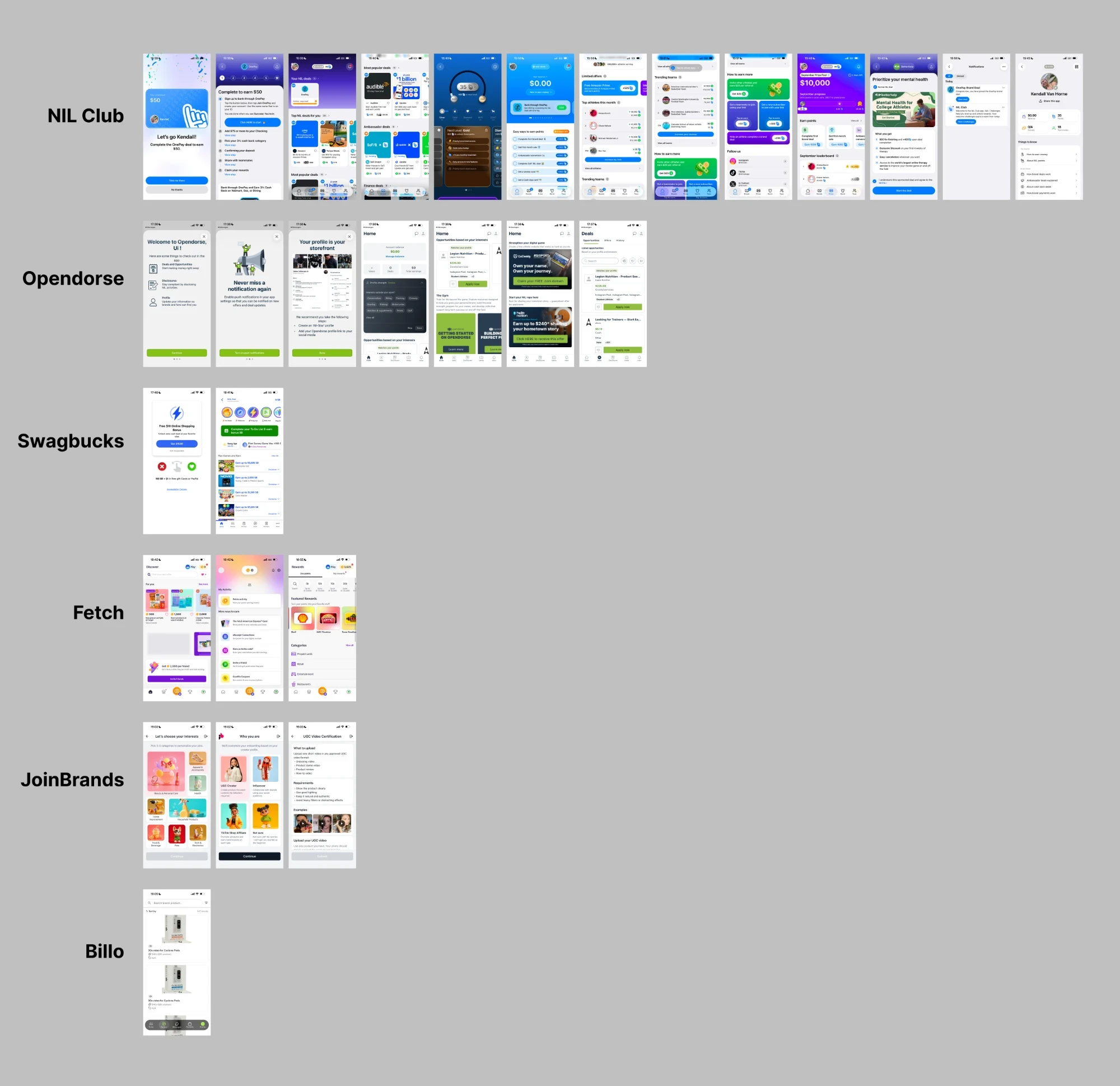
I looked at how six direct and indirect competitors present information on their home screens: NIL Club, Opendorse, Swagbucks, Fetch, JoinBrands, and Billo Creator. A few components came up again and again, and they became my must-haves for the new home screen:
Home screens from the competitive audit
Design Process
Sketching the new layout
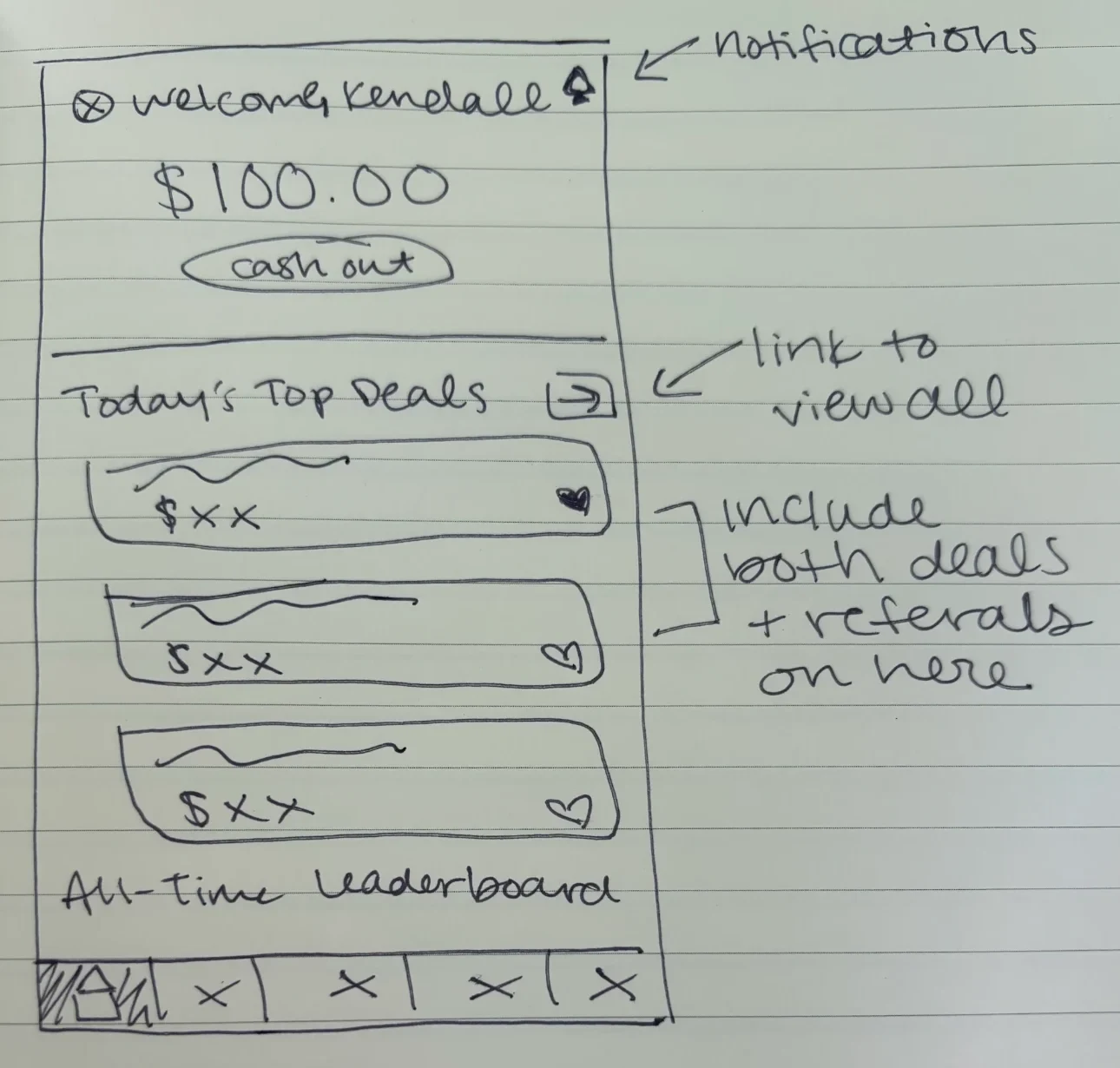
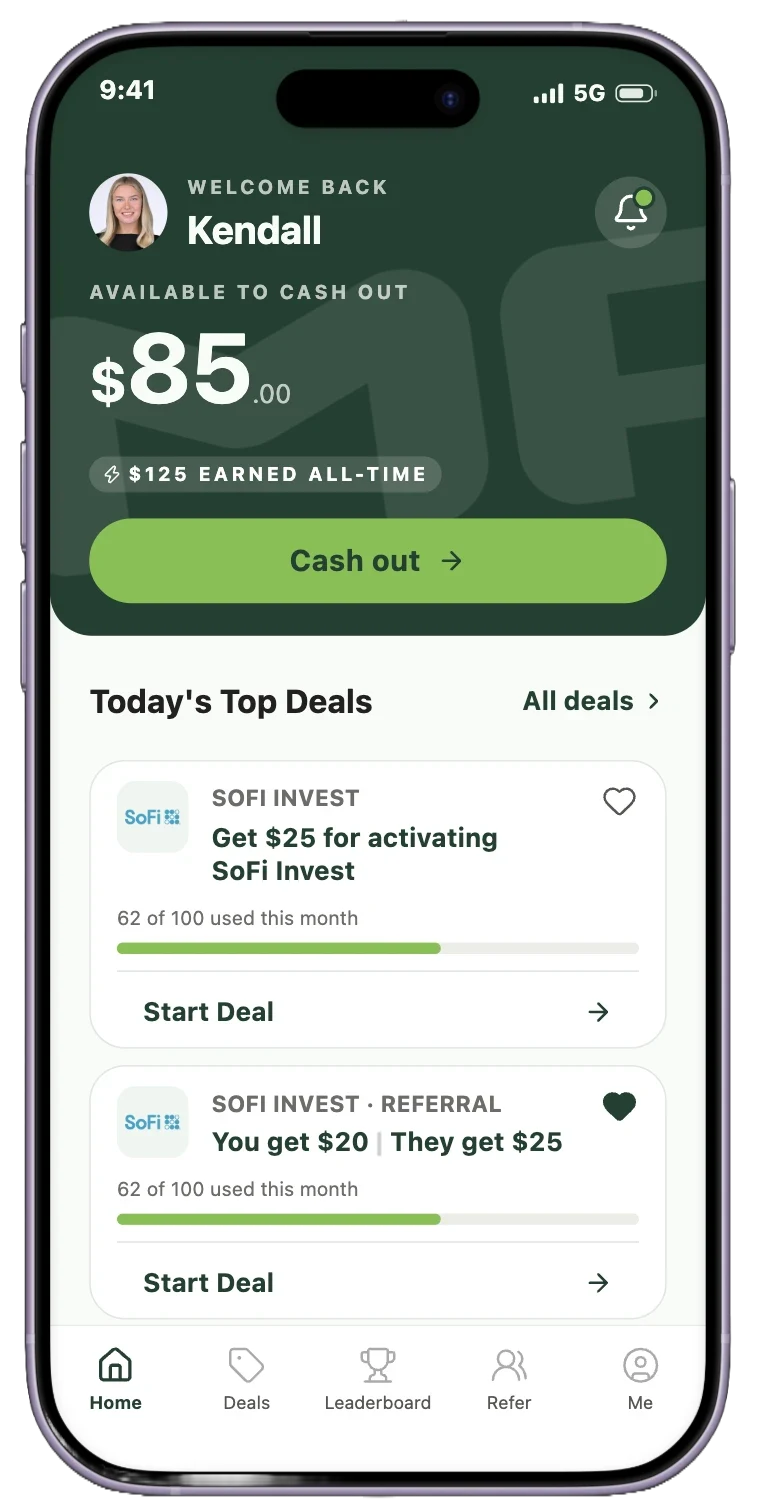
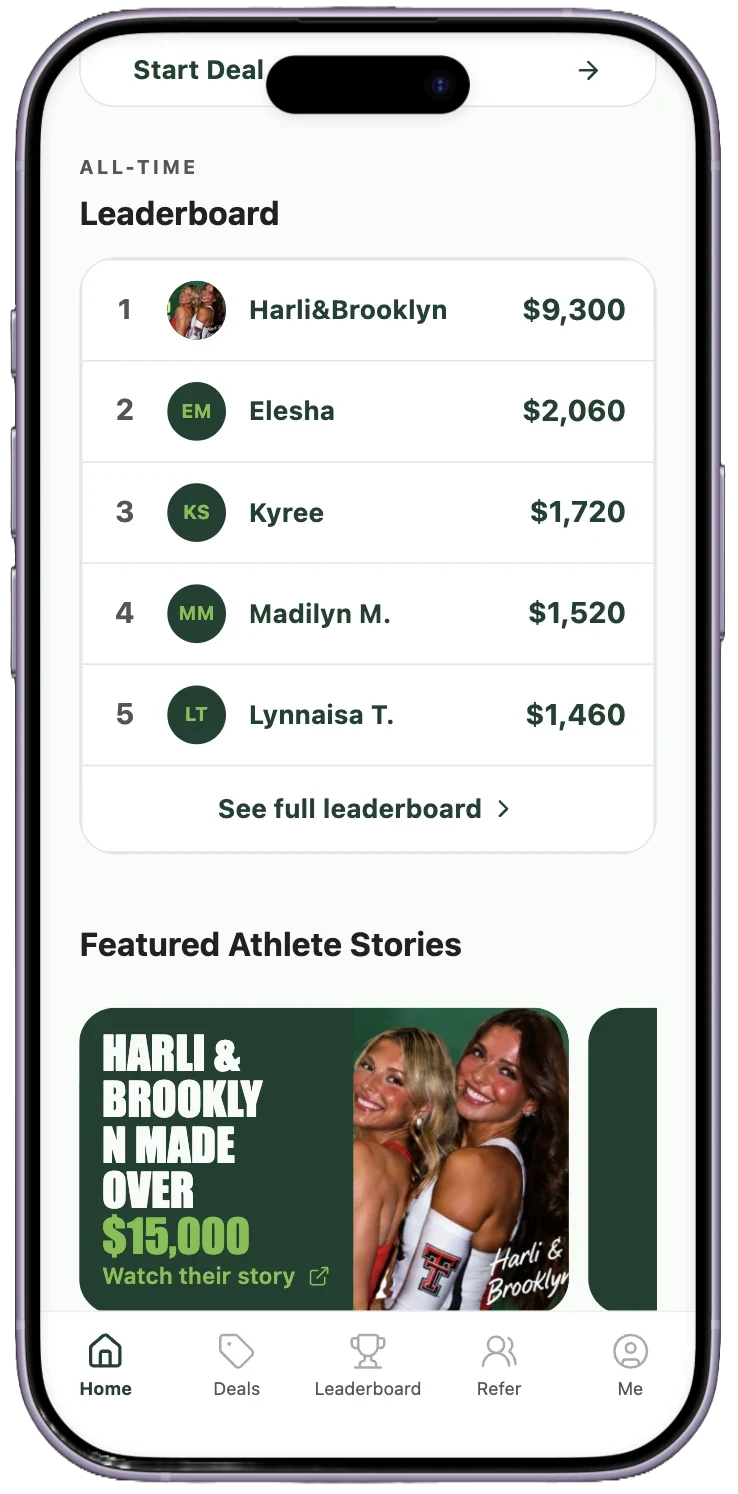
Using the key components from both audits, I sketched a lo-fi wireframe of the new home screen: the balance and cash out button up top, today's top deals (with referrals included as deals) and a link to view all, then the all-time leaderboard.
Lo-fi wireframe sketch
Exploring high-fidelity concepts with Claude Design
I had Claude Design build a design system from MarketPryce's marketing site, brand kit, and screenshots of the existing app. Then I prompted it to turn my sketch into three high-fidelity concepts using that system, with specific callouts for what had to be on the page.
Layout: Follow the attached lo-fi sketch for structure and hierarchy. It's a guide to what goes where, not to the visuals.
The cash out balance should be the most prominent item and treated differently than deals.
Do not use the brand fonts, use the default iOS system font.
Do not invent content that does not exist on the current state app screenshots.
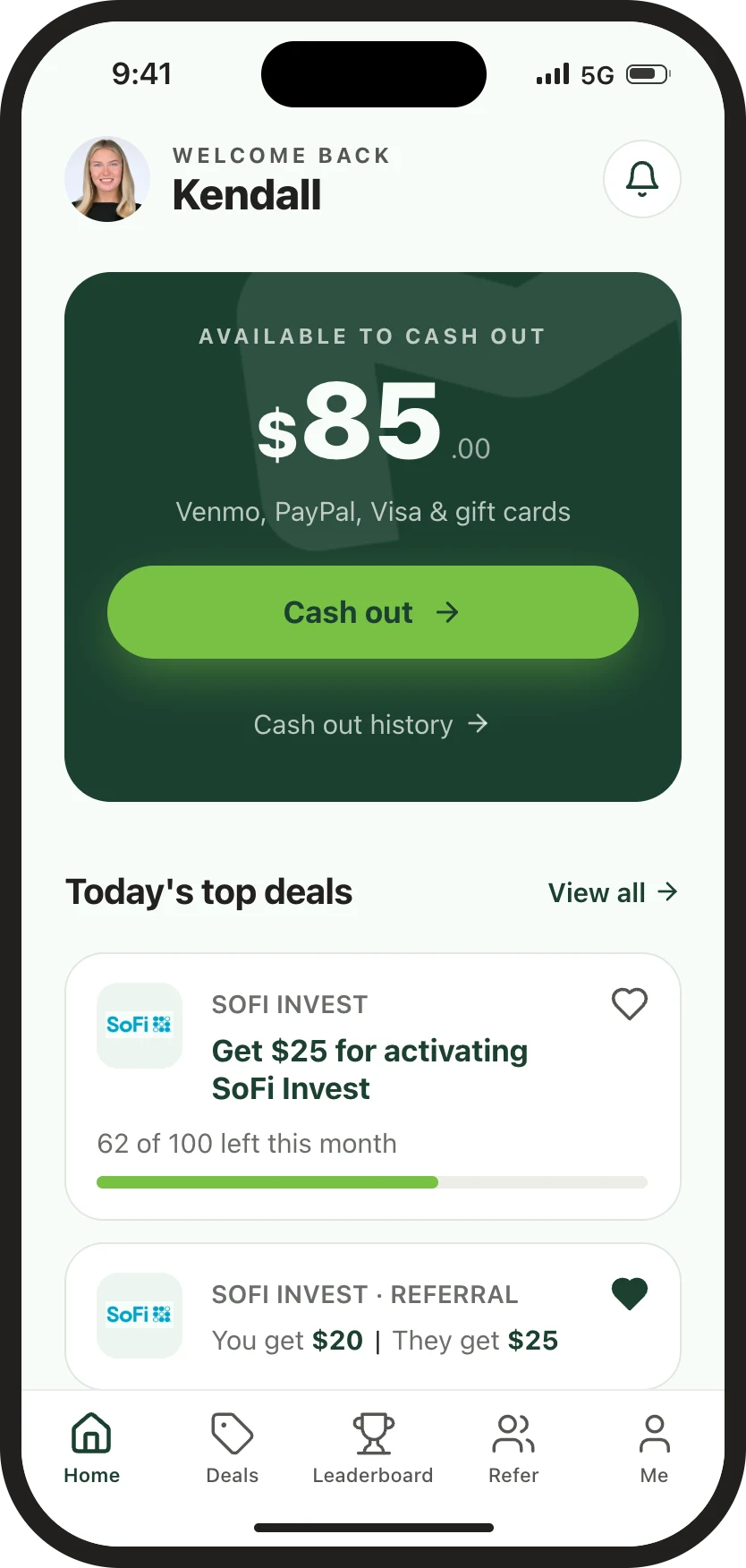
Concept 1
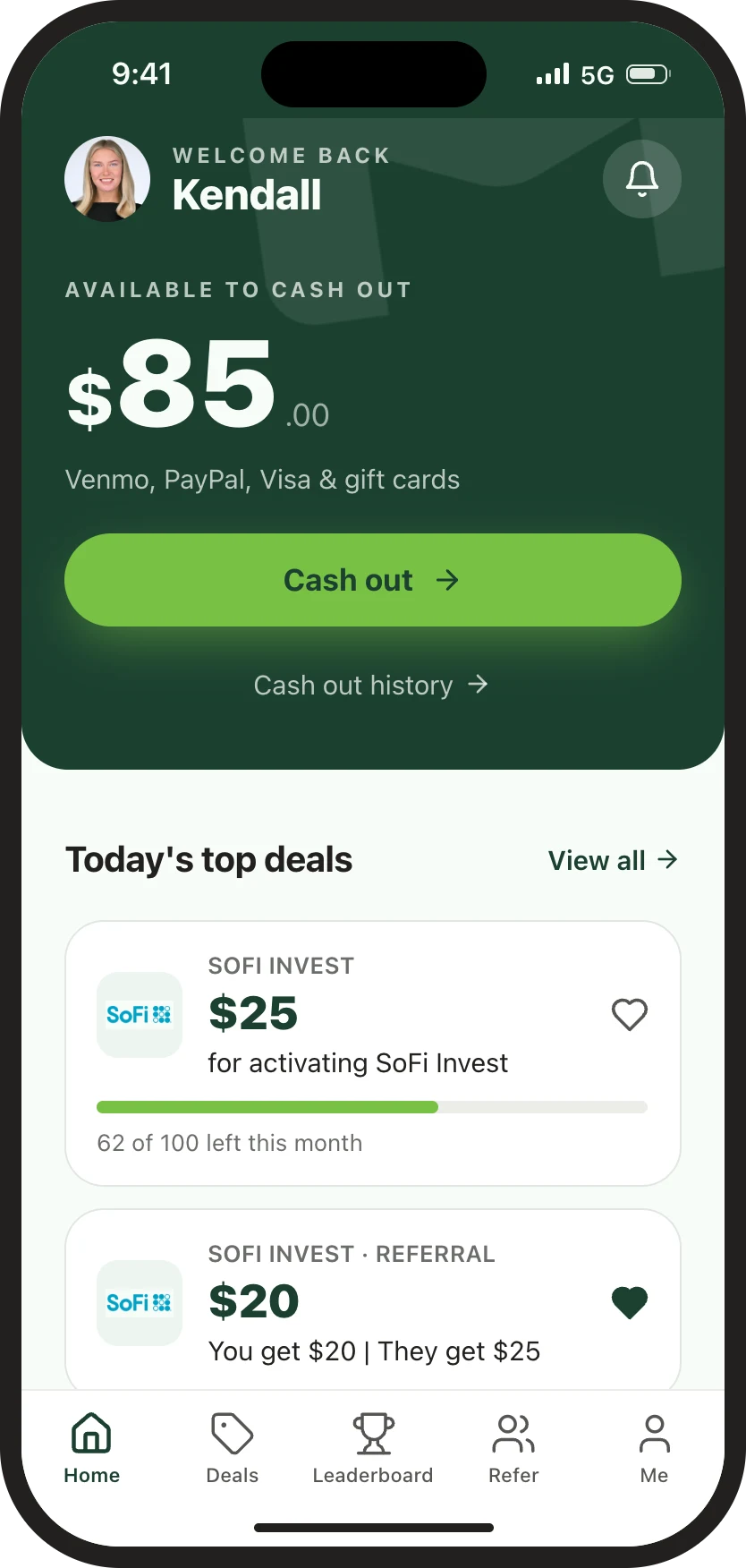
Concept 2
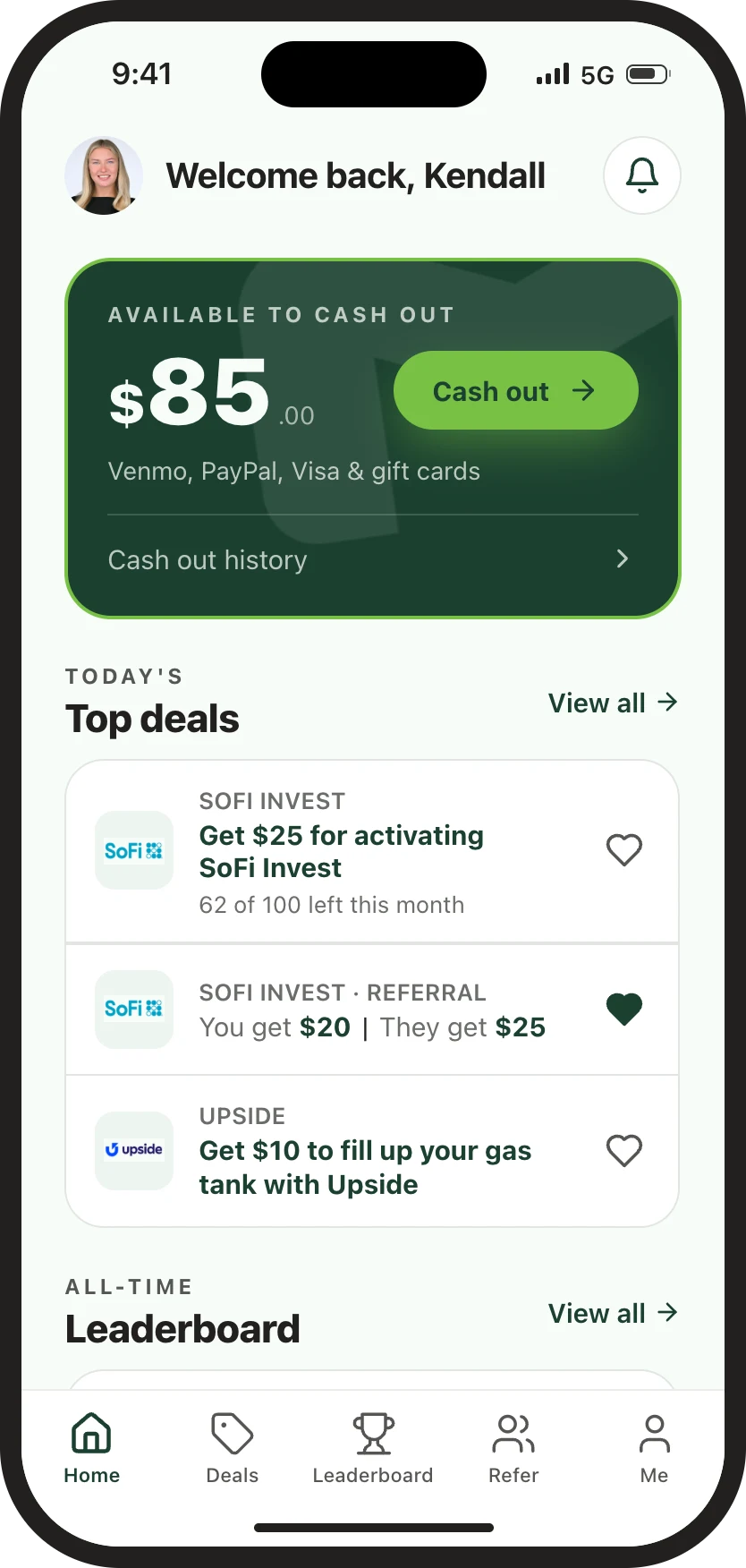
Concept 3
I chose a direction and asked Claude to refine some of the smaller details.
Making the deal cards look tappable
Next, I had Claude critique its own work against my callouts, the sketch, the design system, visual hierarchy, and accessibility.
The biggest callout was that the deal cards didn't look clickable, so I asked for three options to fix that.
Critique the mockup you just made as if you were a senior product designer reviewing someone else's work. Be specific and blunt, and skip the praise unless it's useful.
Check tap targets (44pt minimum), text contrast, thumb reach for key actions, and anything that's ambiguous about what's tappable.
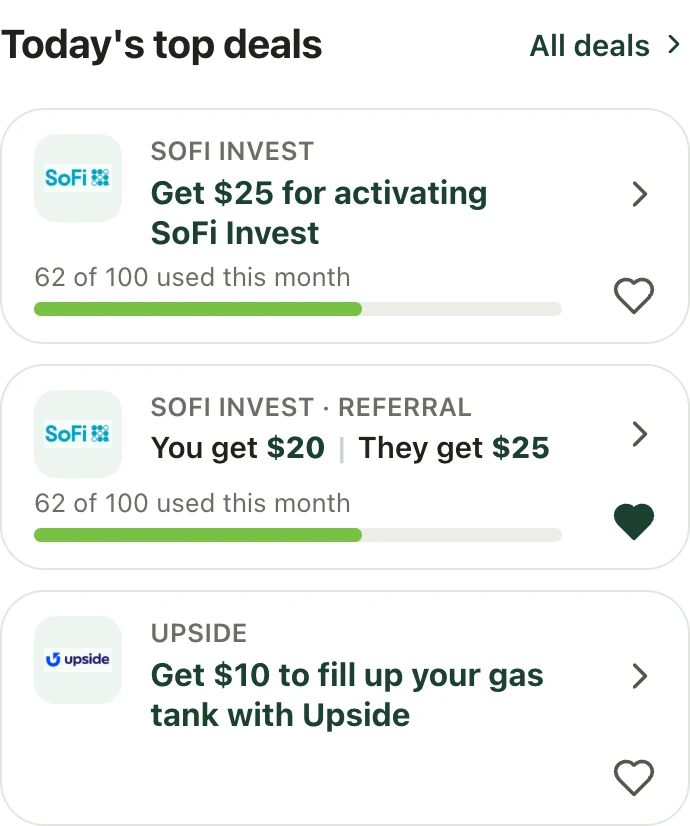
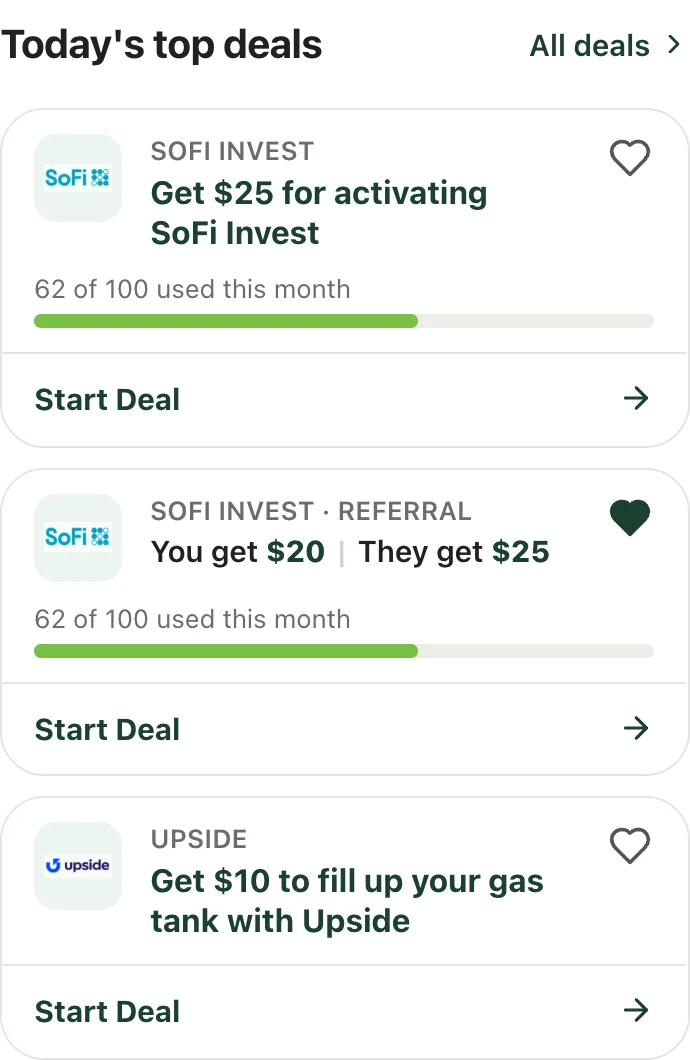
Option 1: chevron
Option 2: separate Start Deal section (chosen)
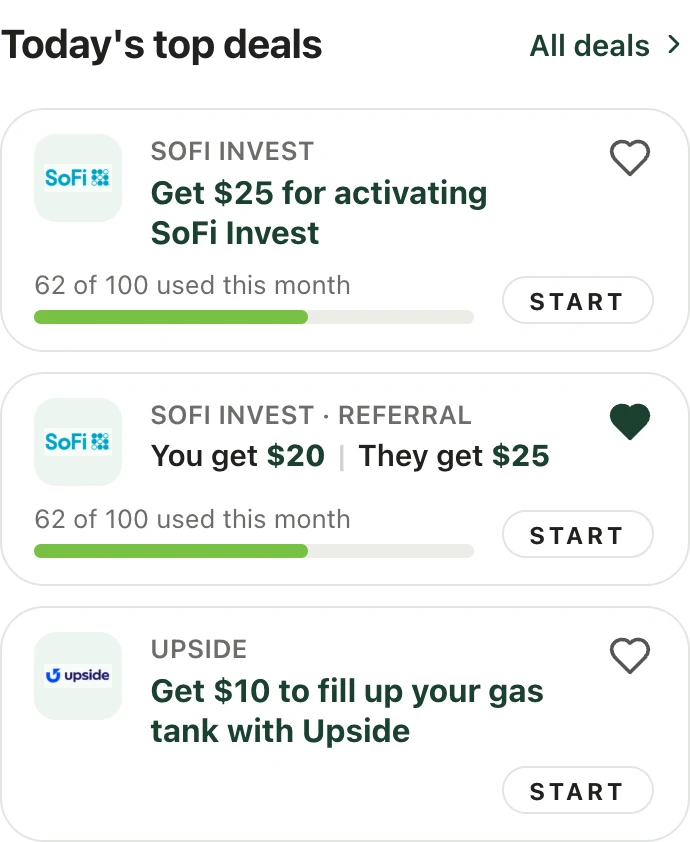
Option 3: Start button
I chose the option with a separate Start Deal section at the bottom of each card. That way the favorite button and the main action never share the same area of the card.
Refining in Figma and prototyping
I exported the design into Figma to refine it, then used Figma Make to build a clickable prototype. Compared to the original home screen, here's what changed:
Home, top of page
Home, scrolled
Next Steps
Final Thoughts
The home screen's job is to answer "what can I do here?" in a few seconds. Grounding every change in an initial audit and what competing apps do well made each decision easy to explain, and using Claude Design as a collaborator let me explore and critique three full concepts in the time it would usually take to make one.
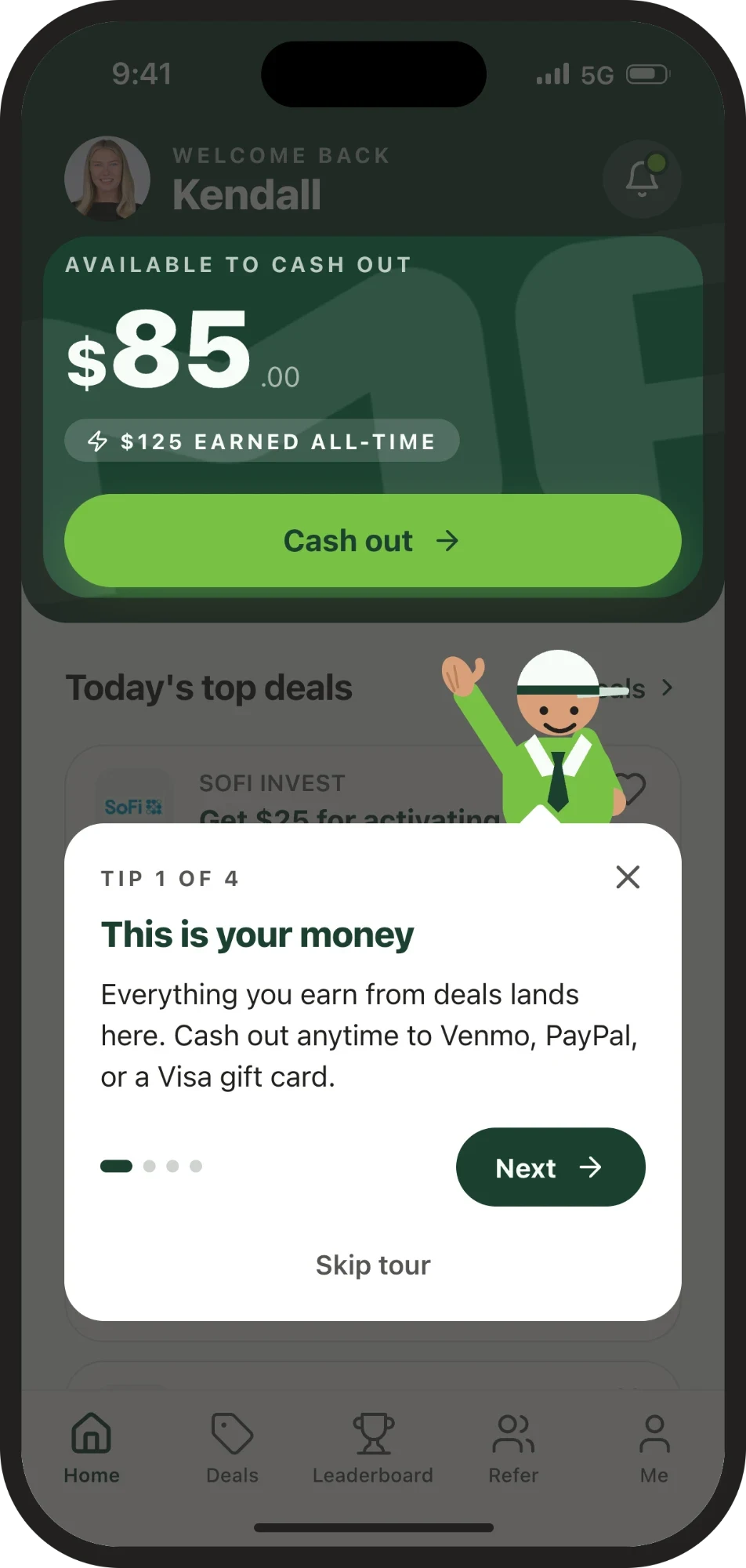
Coach mark concept for the onboarding tour