Redesigning Denver's permitting website to reduce customer service call volume
Conducted heuristic audit, created new information architecture and designs, and conducted usability testing with 14 users resulting in a redesign where users completed their tasks 90% of the time.
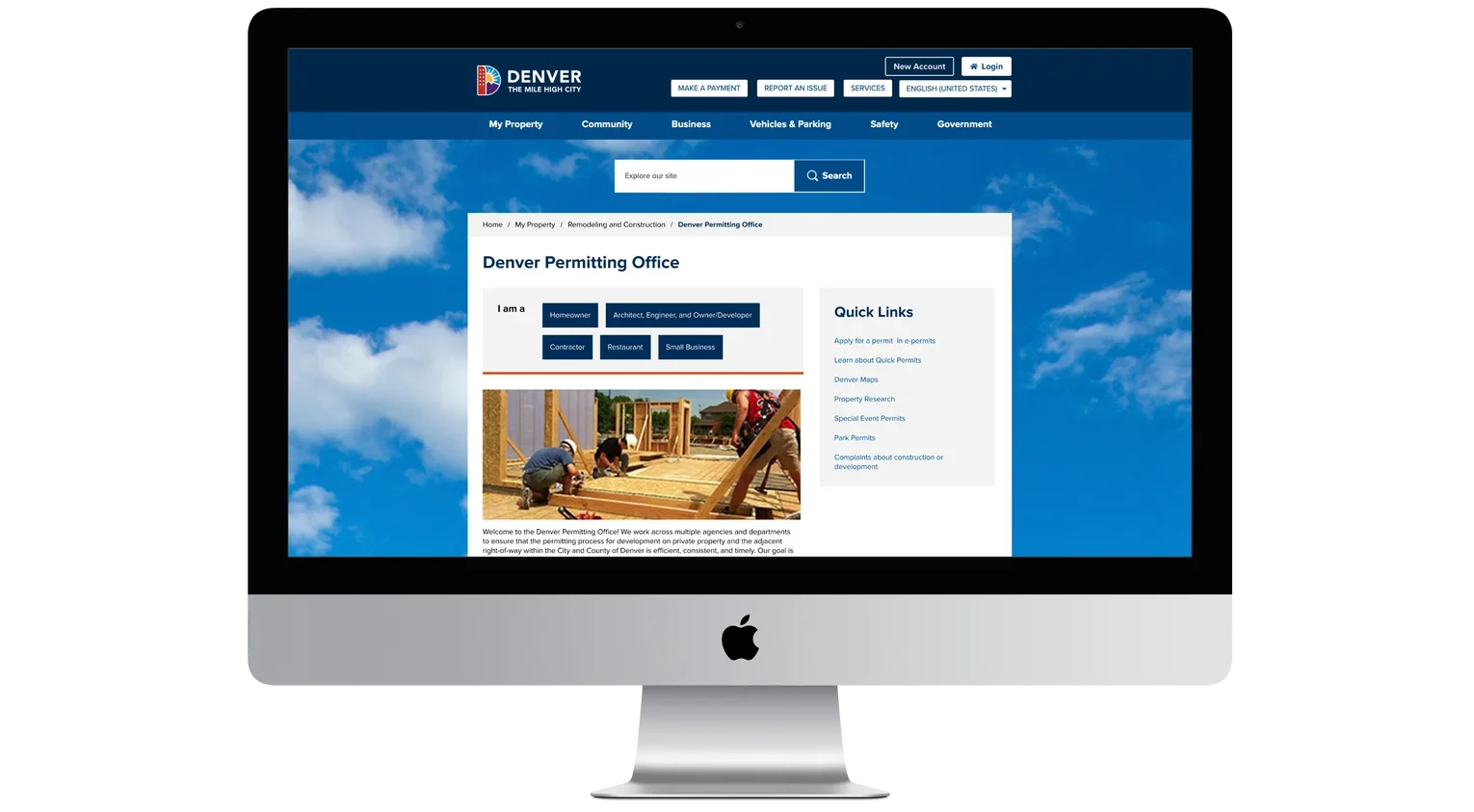
Problem
Denver's permitting website exists to connect residents, business owners, and contractors with the resources and applications they need for a home, business, or development project. But the site leaned heavily on in-line text links with poor visual hierarchy, making it hard to find the right information and pushing a high volume of confused users to call an already-busy government office instead.
My Role
I was the sole designer and tightly coordinated with the development team throughout. That meant conducting the site audit, building current and future-state site maps, designing wireframes, running usability testing, and continuously checking my proposed changes against a limited existing design template I had to design within.
Site Audit & Mapping
Site audit conducted to determine key areas for improvement
I audited the existing site against a set of usability heuristics to pinpoint where it was failing users and paired those findings with a set of recommendations.
Site maps and user flows
From the audit, I built a site map of the current state and a proposed future-state site map, then used both to write user stories and flows. Rather than writing one story per user group, I built the four stories around the most common permit types the office actually receives applications for.
User stories:
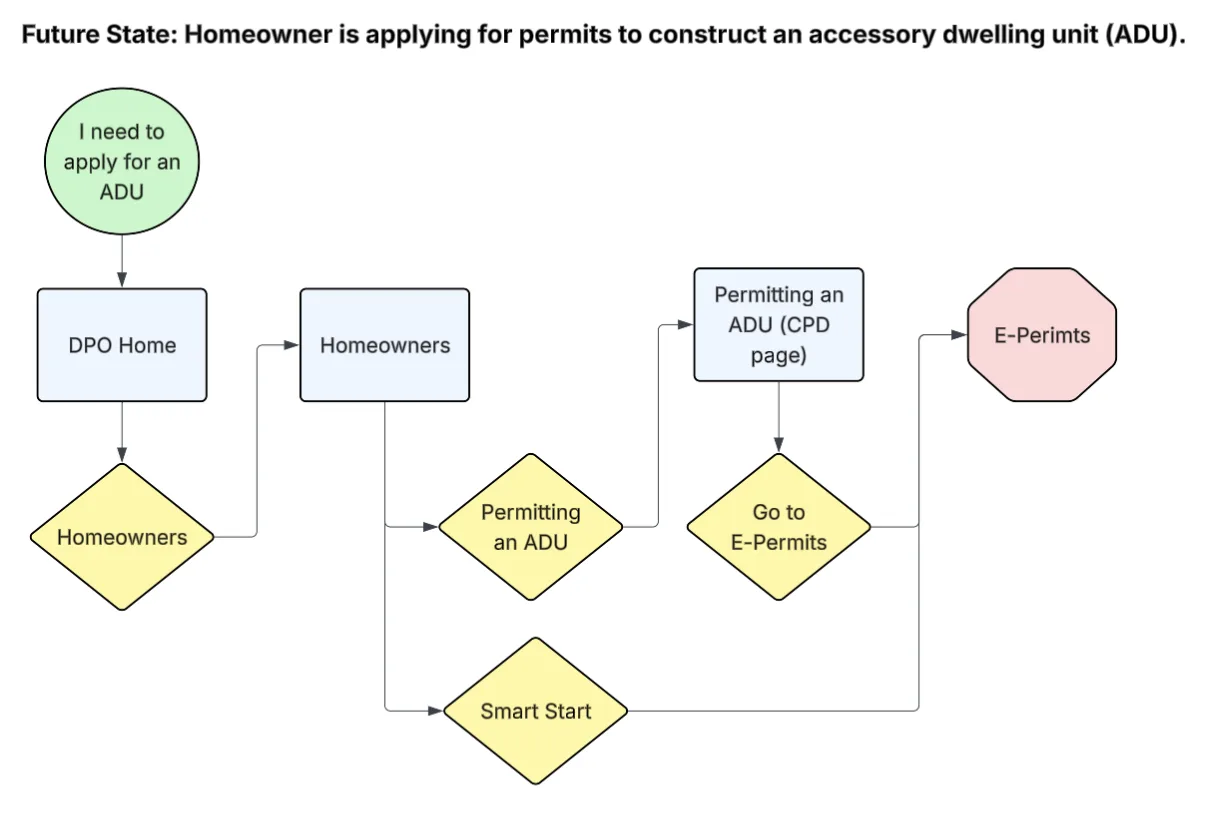
Example of a future state user flow
Design & Testing
Wireframes and prototyping
Working within Denver's existing design system and template constraints, I translated the site maps into wireframes and then a high-fidelity prototype, ready to put in front of users.
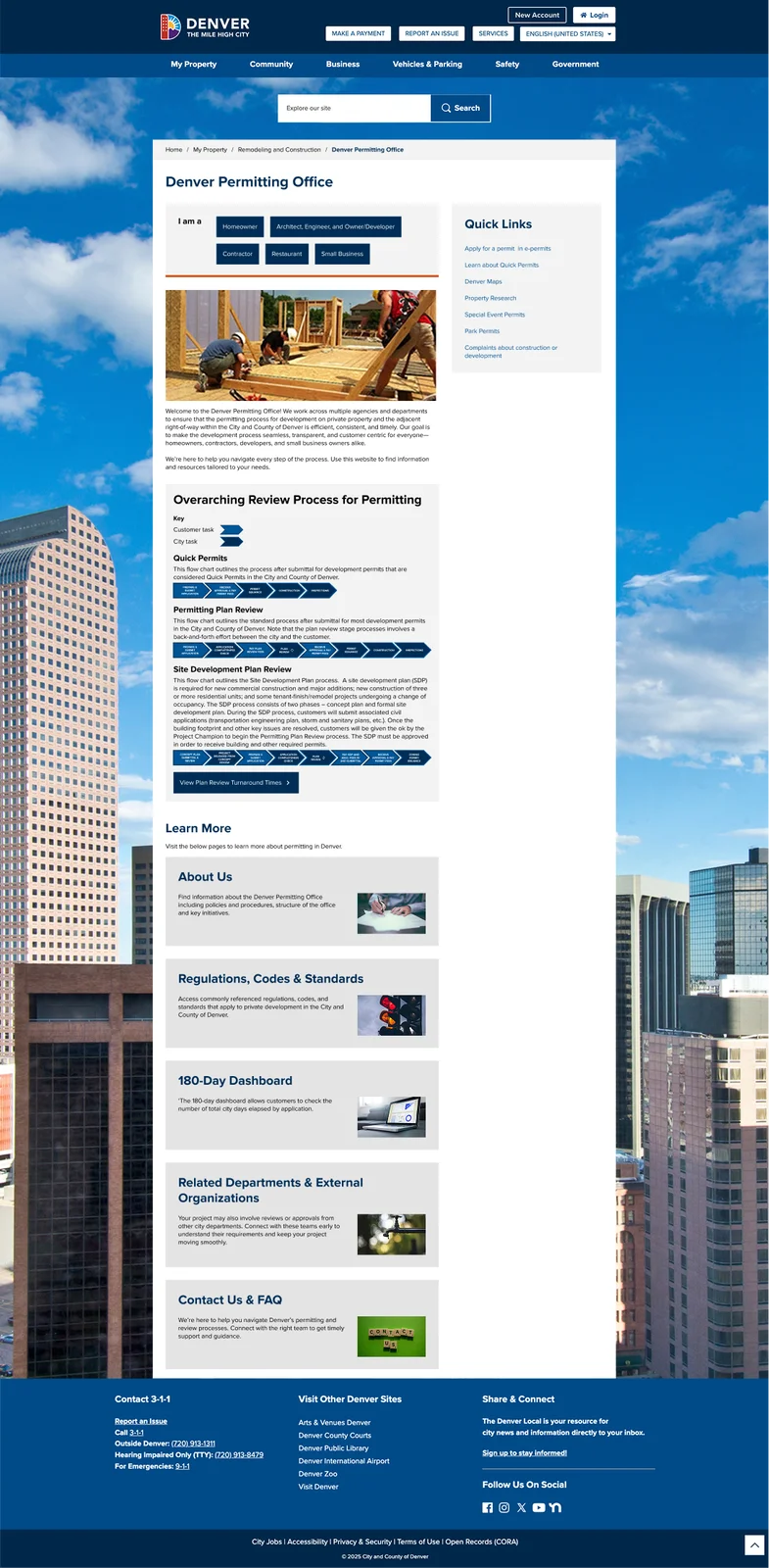
The redesigned permitting homepage, with the renamed discovery tool at the top
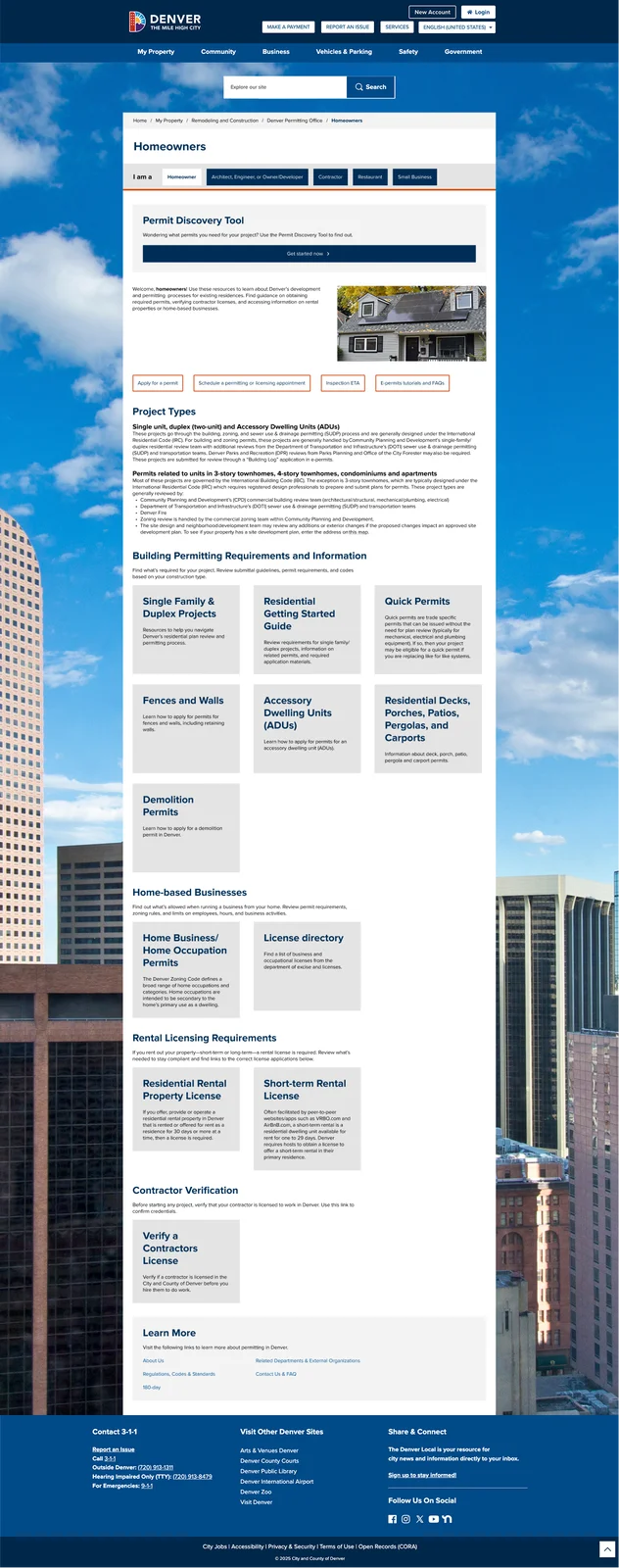
Homeowner path
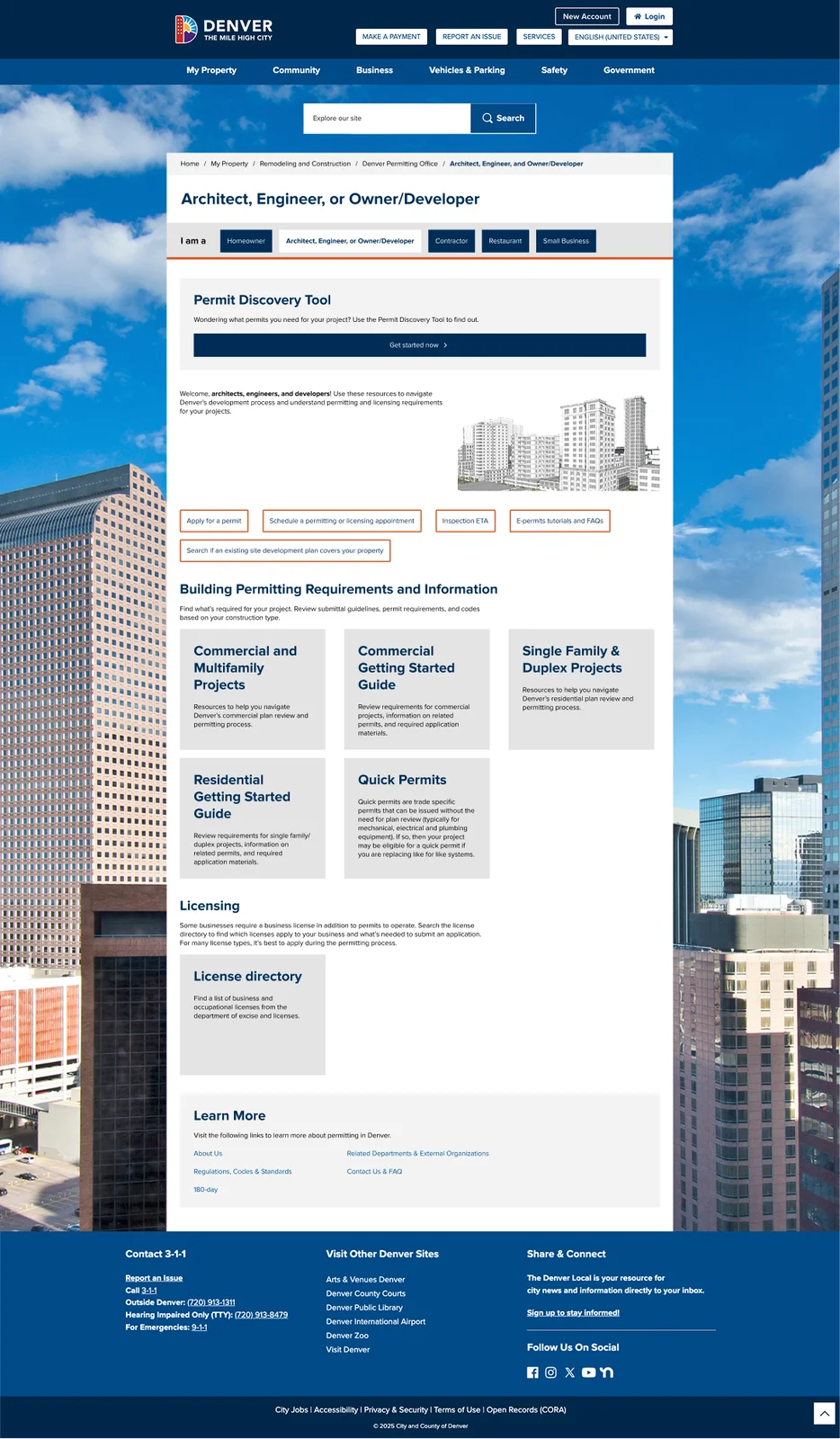
Developer / architect path
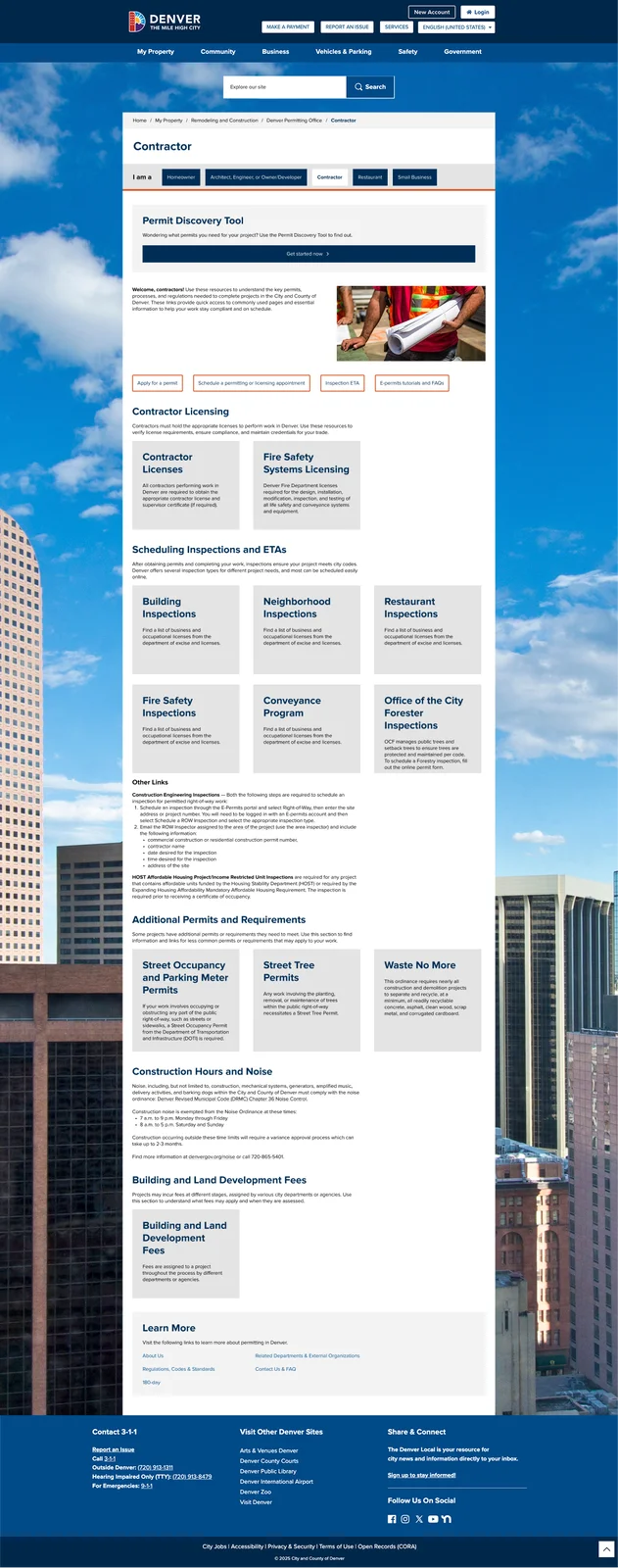
Contractor path
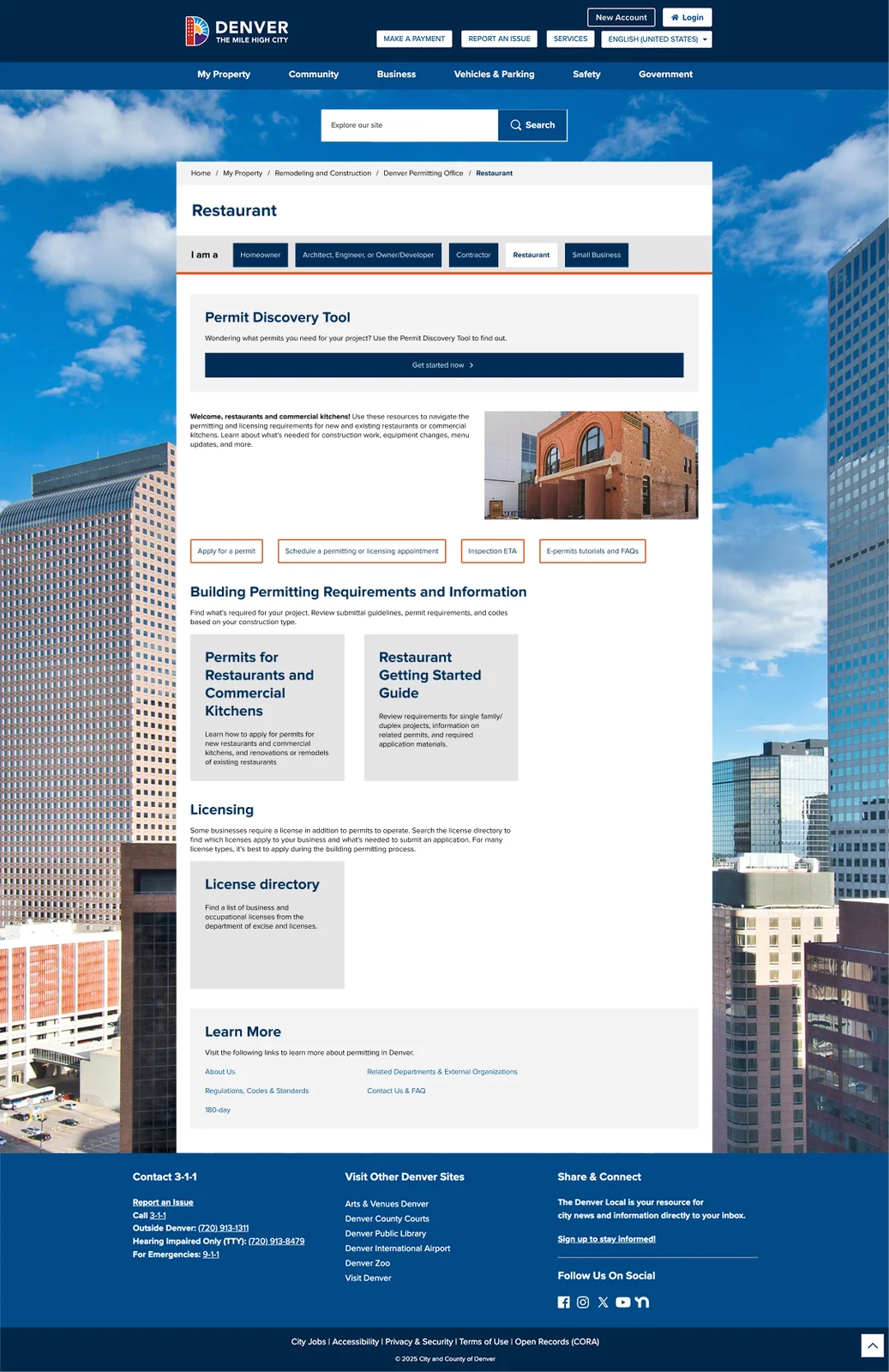
Restaurant owner path
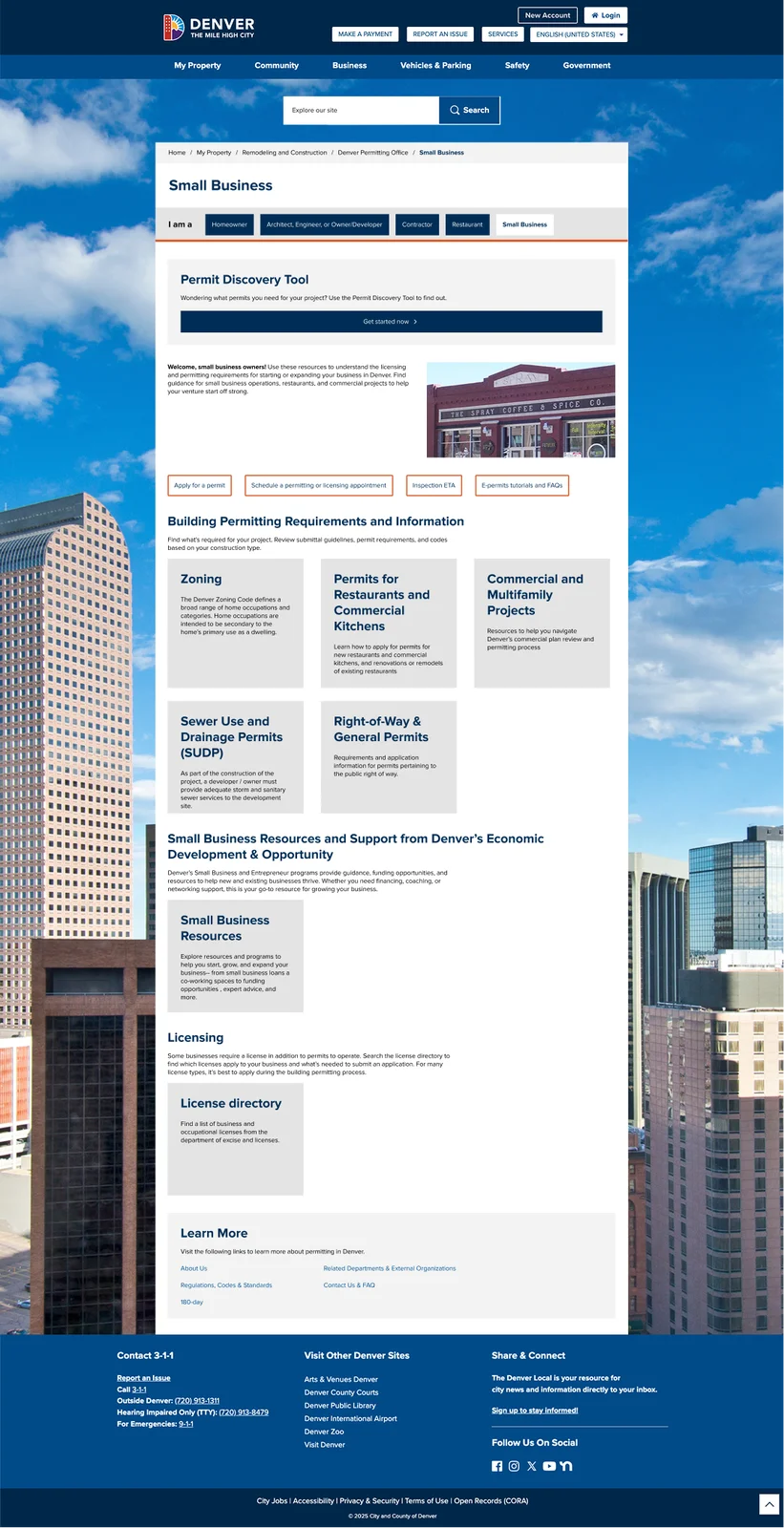
Small business owner path
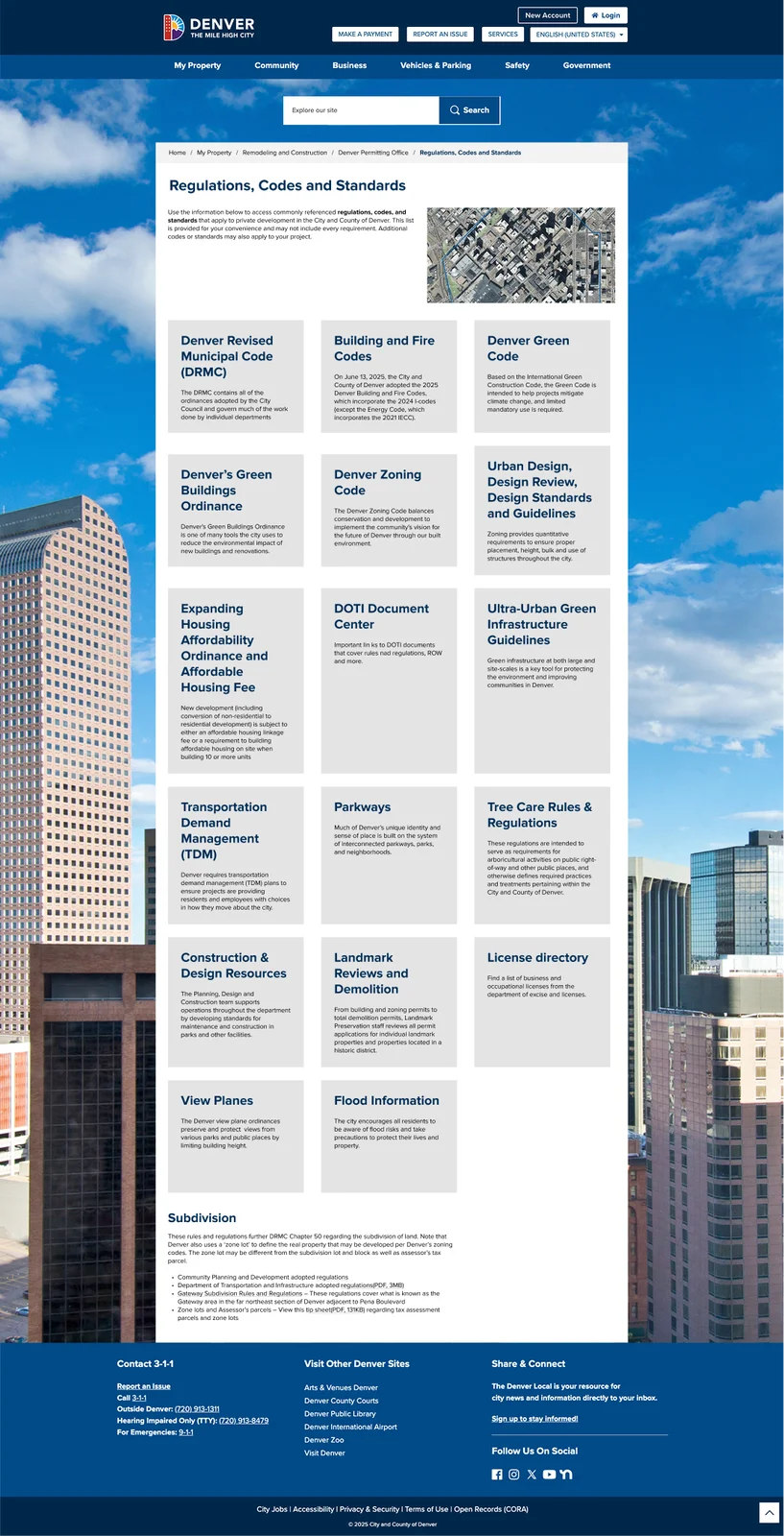
Regulations, codes & standards, grouped by task
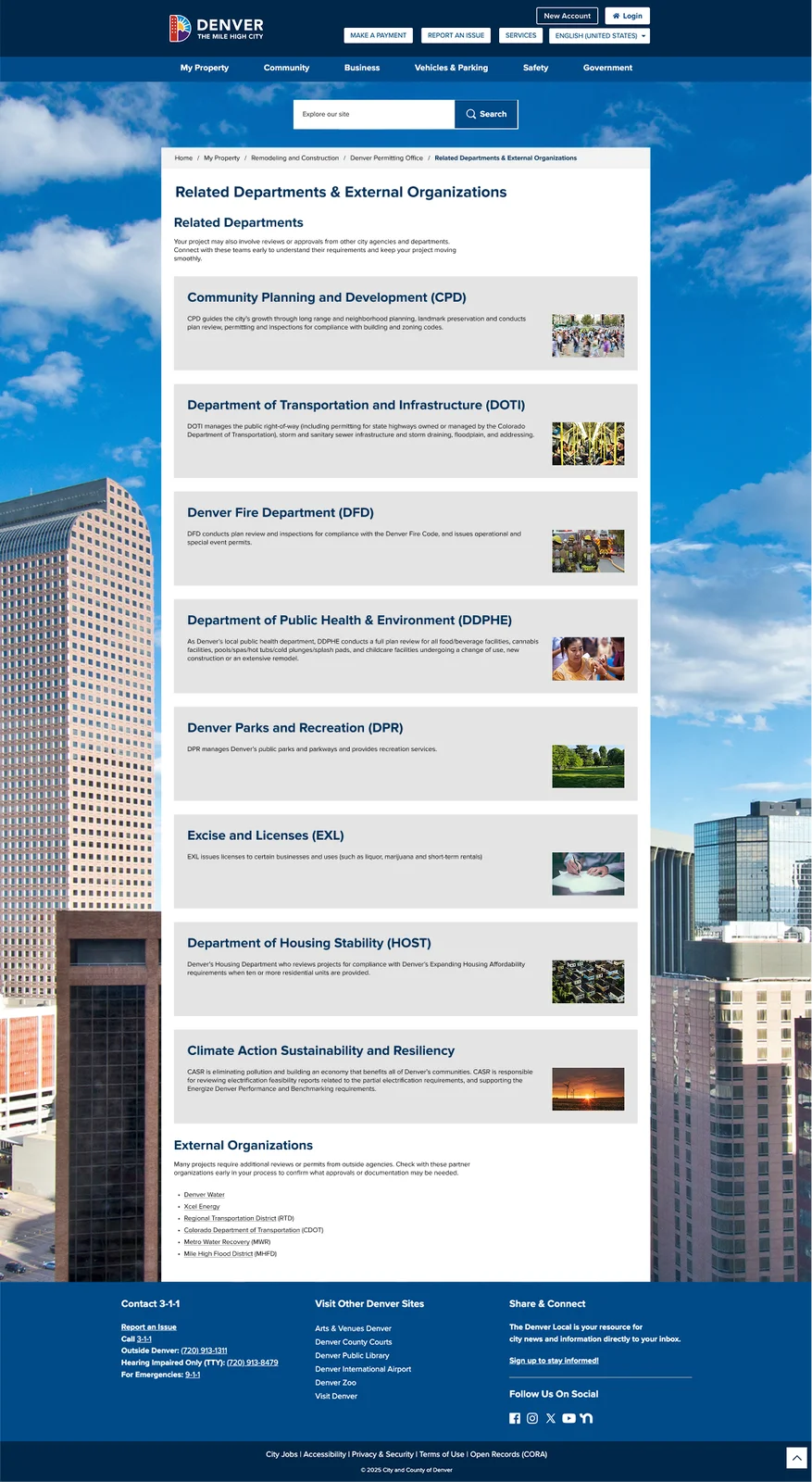
"Related Departments" on its own page after testing
Usability testing and iteration
I tested the prototype with 14 users spanning the 5 user groups (Homeowner, Developer/Owner & Architect/Engineer, Contractor, Restaurant Owner, Small Business Owner), each working through a task-based scenario built from the user stories above. The results validated the new direction, as all users found the redesign clearly preferable to the existing site, and completed their assigned tasks 90% of the time.
Testing also surfaced specific, fixable problems, which led to some additional changes before launch:
Key Outcomes
Testing showed a 90% task completion rate across all 5 user groups, indicating a strong, measurable signal that the new information architecture worked for the people who rely on this site. Stakeholders were also more satisfied with the final design, specifically because they had input on navigation and structure early on, rather than reacting to finished screens late in the process. Additionally, building site maps and user flows before any high-fidelity design meant less time spent redoing polished designs and more time confirming the underlying structure was right.
Since the updated site went live, reported customer service call volume for permitting questions has gone down, consistent with the redesign's original goal of helping people self-serve the information they need.
Final Thoughts
This project is a good example of designing under constraints—a short timeline, an existing, legacy development system I couldn't deviate from, a government stakeholder group balancing many priorities at once, strict accessibility guidelines, and a large and diverse user group. Grounding every design decision in a heuristic audit and user flows before touching high-fidelity screens meant the final design held up under usability testing instead of just looking right in a mockup.
Live DPO website